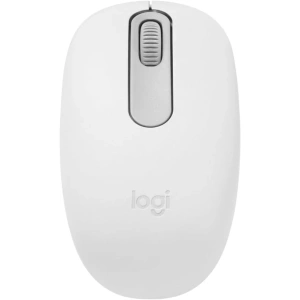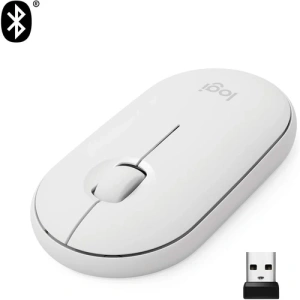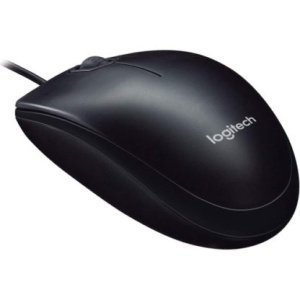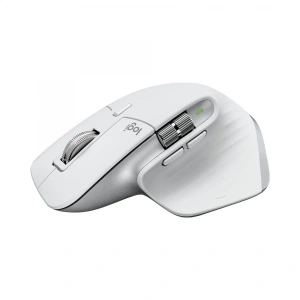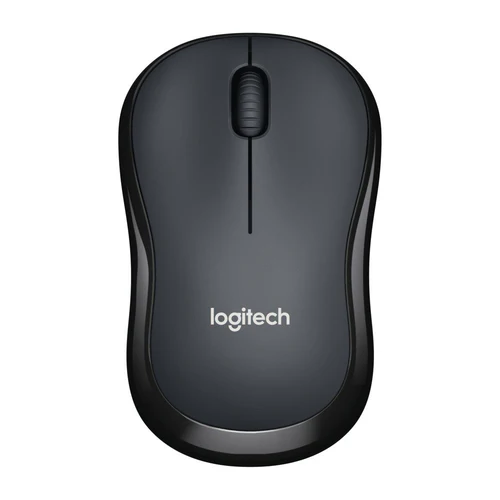
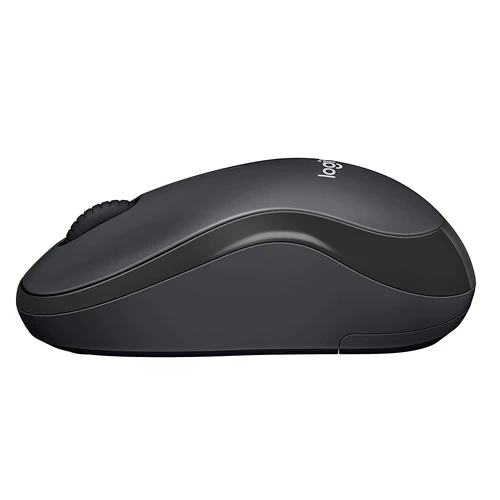
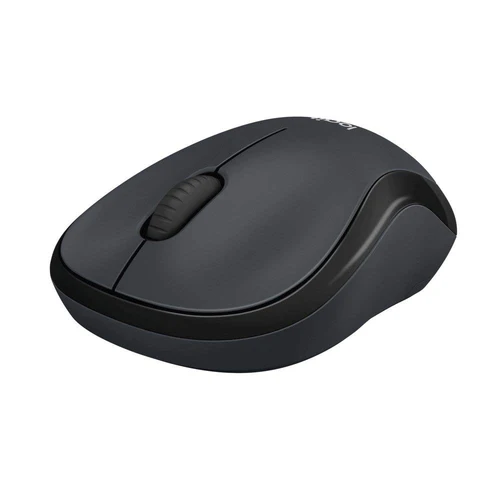
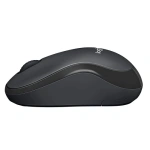
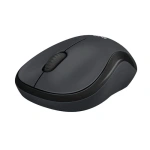
Logitech M220 Wireless Mouse | Quiet Operation, Portable | Kenya
KSh 4,000.00
Key Features
- Ultra-quiet mouse with 90% reduced click sound and same click feel eliminates noise
- Comfortable mobile shape is small enough to toss in a bag and an ambidextrous design guides either hand into a natural position
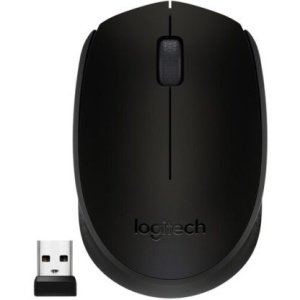
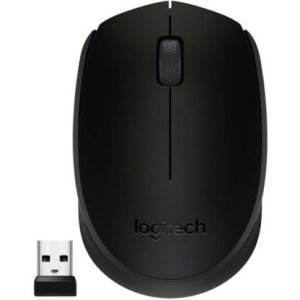
- Mouse automatically connects to your computer via a tiny wireless Receiver that Plugs into your computer’s USB port
- Reliable, long range wireless mouse works up to 33 feet away from your computer
- 18-Month battery life and auto sleep help you go longer between battery changes (battery life may vary based on user and computing conditions).
Introduction
The world of technology is constantly evolving, and having the right tools can significantly enhance your productivity. One such essential tool is a high-quality mouse, and the Logitech M220 Wireless Mouse stands out as a top contender in this category. Whether you’re a student, professional, or casual user, the right mouse can make a difference in your daily tasks. This guide will delve into everything you need to know about the Logitech M220 Wireless Mouse, from its features to how to choose the right one for your needs.
Why does this guide matter? With the increasing number of options available in the market, it can be overwhelming to choose the right mouse. The Logitech M220 Wireless Mouse is not just another product; it’s a premium offering that combines functionality, design, and affordability, making it a perfect fit for the Kenyan market. By the end of this guide, you’ll have all the information you need to make an informed decision.
What is Logitech M220 Wireless Mouse?
The Logitech M220 Wireless Mouse is a wireless optical mouse designed for everyday use, providing users with a seamless experience whether at home, in the office, or on-the-go. With its compact design and advanced features, it caters to a wide array of users, from students who need a reliable device for their studies to professionals who require precision and comfort during long working hours.
Logitech, a trusted name in computer peripherals, has a long-standing reputation for producing quality products that enhance user experience. The Logitech M220 Wireless Mouse is no exception, boasting features that make it a standout choice in a competitive market. Its wireless functionality eliminates the hassle of cords, while its ergonomic design ensures comfort during extended usage. As technology continues to advance in Kenya, the demand for reliable and affordable accessories like the Logitech M220 Wireless Mouse is on the rise.
In 2025, the Logitech M220 Wireless Mouse remains a relevant choice due to its balance of performance and price, especially in a market that values practicality and efficiency. With more Kenyans working remotely and studying online, the need for reliable peripherals has never been greater.
Key Features and Benefits
The Logitech M220 Wireless Mouse comes packed with features that enhance usability and performance. Here are some of its key attributes:
- Wireless Connectivity: The mouse operates on a 2.4 GHz wireless connection, providing a reliable link without the clutter of cables. This is particularly beneficial in Kenya, where workspace efficiency is essential. The USB receiver is compact and can be stored inside the mouse for portability, making it ideal for users who are always on the move.
- Compact Design: Its small size makes it easy to carry, making it an ideal companion for students and professionals who are always on the move. The lightweight design ensures it fits comfortably in your hand, reducing strain during prolonged use.
- Quiet Operation: The silent click technology ensures that your clicks are nearly silent, which is perfect for use in libraries, offices, or any public space where noise can be disruptive. This feature is particularly valuable in shared workspaces, allowing you to work without disturbing others.
- Long Battery Life: The Logitech M220 Wireless Mouse boasts an impressive battery life of up to 18 months on a single AA battery, reducing the hassle of frequent replacements and making it an economical choice for users in Kenya. This extended battery life ensures that you can work uninterrupted for long periods, enhancing productivity.
- Compatibility: It is compatible with various operating systems including Windows, macOS, and Chrome OS, making it versatile for users with different devices. This cross-platform compatibility is essential in a diverse market like Kenya where users may own different types of computers.
- Customizable Buttons: Users can customize the buttons to perform specific functions, enhancing productivity and personalizing the user experience. This flexibility allows you to tailor the mouse to fit your workflow, whether you’re editing documents, browsing the web, or managing spreadsheets.
These features translate into real-world benefits: you get a reliable, portable, and user-friendly device that enhances your workflow, whether you’re working on a project, browsing the internet, or playing games. The Logitech M220 Wireless Mouse is designed to meet the needs of the Kenyan consumer, offering great value for its price of KSh 4000. With the rise of remote work and online learning in Kenya, this mouse provides the necessary functionality to support these activities effectively.
Models and Variants
The Logitech M220 Wireless Mouse is available in several models and color variants, catering to different preferences and styles. Here are some of the notable options:
- Logitech M220 Silent: This is the primary model known for its silent click technology, perfect for those who need a quiet working environment. It is particularly useful for students in libraries or professionals in open offices.
- Logitech M220 in Various Colors: The mouse is available in multiple colors, including black, blue, and red, allowing users to choose one that matches their personal style. This variety makes it easier for consumers to express their individuality while using a functional device.
- Logitech M220 with Extended Battery Life: Some variants come with enhanced battery options, providing even longer usage without the need for frequent replacements. This is especially beneficial for users who travel frequently and may not have access to spare batteries.
These variants ensure that there’s a Logitech M220 Wireless Mouse for everyone, whether you prioritize aesthetics, functionality, or battery performance. The availability of different colors and models in the Kenyan market allows consumers to express their individuality while enjoying the benefits of a high-quality mouse.
How to Choose the Right One
Choosing the right mouse can significantly impact your user experience. Here are some key factors to consider when selecting the Logitech M220 Wireless Mouse:
- Usage Purpose: Determine what you’ll primarily use the mouse for. If you’re a gamer, you might need additional features like customizable buttons and higher precision. For general use, the standard Logitech M220 Wireless Mouse should suffice. Consider your daily tasks and how the mouse will fit into them.
- Comfort and Ergonomics: Consider how the mouse feels in your hand. The Logitech M220 Wireless Mouse is designed for comfort, but it’s essential to ensure it fits your grip style. Ergonomics are crucial for long hours of use, especially for professionals and students.
- Portability: If you travel frequently, opt for a model that is compact and lightweight, making it easy to carry in your laptop bag. The Logitech M220 Wireless Mouse is designed to be portable, making it a great choice for on-the-go users.
- Battery Life: For users who don’t want the hassle of changing batteries often, look for models with extended battery life. The standard Logitech M220 Wireless Mouse offers up to 18 months, which is quite impressive, ensuring you can work without interruptions.
- Design Preference: With various colors and designs available, choose one that reflects your personality or matches your workspace. Aesthetics can enhance your overall experience and make your workspace more enjoyable.
- Price: At KSh 4000, the Logitech M220 Wireless Mouse is competitively priced. Ensure that the features align with your budget and needs. Consider the long-term value it offers in terms of durability and performance.
By considering these factors, you can find the perfect Logitech M220 Wireless Mouse that meets your specific requirements and enhances your overall computing experience. This thoughtful approach to purchasing will ensure that you invest in a product that serves you well in both personal and professional contexts.
Pros and Cons
Every product has its strengths and weaknesses. Here’s a balanced assessment of the Logitech M220 Wireless Mouse:
Pros:
- Affordability: Priced at KSh 4000, it offers great value for a premium mouse, making it accessible for students and professionals alike.
- Quiet Operation: Ideal for quiet environments, making it suitable for libraries and shared workspaces. This feature is a significant advantage for those who need to maintain a low noise level while working.
- Long Battery Life: The extended battery life minimizes interruptions, which is a significant advantage for busy users who rely on their devices for extended periods.
- Compact and Portable: Easy to carry, making it perfect for students and professionals who are always on the go. Its lightweight design ensures it won’t add unnecessary bulk to your bag.
- Reliable Wireless Connection: The 2.4 GHz wireless technology ensures a stable connection without lag, which is crucial for smooth operation during tasks.
Cons:
- Limited Customization: While it has customizable buttons, it may not have as many features as gaming mice. This could be a drawback for users looking for advanced gaming functionalities.
- Not Ideal for Gaming: While it can be used for casual gaming, it lacks the precision and features that serious gamers might require. If gaming is a priority, you may want to explore specialized gaming mice.
- Requires AA Battery: Users must keep spare batteries handy, as it does not come with a rechargeable option. This could be seen as a disadvantage compared to rechargeable models available in the market.
Overall, the Logitech M220 Wireless Mouse has more pros than cons, making it a solid choice for a wide range of users. Its affordability, comfort, and functionality make it a worthwhile investment for anyone in the Kenyan market. The balance of features and price point makes it an attractive option for both casual and professional users.
Comparison with Top Competitors
When considering the Logitech M220 Wireless Mouse, it’s essential to compare it with other similar products in the market. Here’s how it stacks up against some top competitors:
- Logitech M330 Silent Plus: This model offers similar silent click technology but may be priced higher. It features a slightly larger design that some users may prefer for comfort. The M330 also boasts a longer battery life of up to 24 months, making it a great alternative for users prioritizing longevity.
- Microsoft Wireless Mobile Mouse 1850: Priced similarly, the Microsoft option lacks the quiet operation feature but offers a good ergonomic design. However, it may not have the same battery life as the Logitech M220 Wireless Mouse, which is a crucial factor for many users. Additionally, the Microsoft model may not be as portable.
- HP X3000 Wireless Mouse: Another budget-friendly option, the HP X3000 has a stylish design but does not provide the same level of comfort or battery longevity as the Logitech M220 Wireless Mouse. Users looking for a reliable and efficient mouse may find the Logitech model superior in performance.
- Razer Atheris Wireless Mouse: Aimed at gamers, the Razer Atheris offers higher precision and customizable features. However, it comes at a significantly higher price point. If gaming is your primary focus, this might be a better choice, but for general use, the M220 remains a strong contender.
In conclusion, while there are several alternatives available, the Logitech M220 Wireless Mouse stands out due to its combination of silent operation, portability, and long battery life, making it a top choice for Kenyan consumers looking for quality and affordability. The competitive pricing and robust features make it an excellent option for those who need a reliable mouse for everyday tasks.
Tips for Maximum Value
To get the most out of your Logitech M220 Wireless Mouse, consider the following tips:
- Regular Maintenance: Keep your mouse clean and free from dust to ensure optimal performance. Wipe the surface with a soft cloth periodically to prevent build-up that could affect functionality.
- Battery Management: Use rechargeable AA batteries to save on costs and reduce waste. This not only cuts down on expenses but also minimizes environmental impact.
- Update Drivers: Regularly check for driver updates to ensure compatibility and performance improvements. Keeping your software up-to-date can enhance the functionality of your mouse.
- Customize Settings: Take advantage of the customizable buttons to streamline your workflow and improve efficiency. Assigning frequently used functions to these buttons can save time and enhance productivity.
- Invest in a Mouse Pad: Using a quality mouse pad can enhance tracking accuracy and extend the life of your mouse. A good mouse pad provides a smoother surface, which can improve the overall user experience.
- Use Power-Saving Features: If your mouse includes power-saving features, make sure to enable them to extend battery life. This is especially useful for users who may forget to turn off their devices when not in use.
By following these tips, you can maximize the value of your Logitech M220 Wireless Mouse and enhance your overall user experience. Implementing these practices can lead to better performance and longevity of your device, ensuring it serves you well in various tasks.
Frequently Asked Questions
1. Is the Logitech M220 Wireless Mouse compatible with all computers?
Yes, the Logitech M220 Wireless Mouse is compatible with various operating systems including Windows, macOS, and Chrome OS, making it versatile for different users. This compatibility is essential for users who may switch between devices.
2. How long does the battery last on the Logitech M220 Wireless Mouse?
The Logitech M220 Wireless Mouse boasts a battery life of up to 18 months on a single AA battery, which is significantly longer than many competing models. This extended battery life is a key selling point for users who need a reliable device for prolonged use.
3. Can I use the Logitech M220 Wireless Mouse for gaming?
While the Logitech M220 Wireless Mouse can be used for casual gaming, it is not designed for serious gaming due to its limited customization features and precision compared to gaming mice. If gaming is a priority, consider looking into specialized gaming mice that offer advanced features.
4. Does the Logitech M220 Wireless Mouse come with a warranty?
Yes, Logitech typically offers a limited warranty on their products, including the Logitech M220 Wireless Mouse. It’s advisable to check the warranty terms at the time of purchase to understand the coverage.
5. How do I connect the Logitech M220 Wireless Mouse to my computer?
Connecting the Logitech M220 Wireless Mouse is simple; just plug the USB receiver into your computer’s USB port, and it will automatically connect within seconds. This plug-and-play functionality makes it easy to start using your mouse right away.
6. Is the Logitech M220 Wireless Mouse suitable for left-handed users?
The Logitech M220 Wireless Mouse is designed primarily for right-handed users, but it can be used by left-handed users as well. However, left-handed users may find it less comfortable than dedicated left-handed mice, which are specifically designed for their grip style.
7. How do I clean the Logitech M220 Wireless Mouse?
To clean the Logitech M220 Wireless Mouse, use a soft, damp cloth to wipe the surface. Avoid using harsh chemicals that could damage the finish. Regular cleaning can help maintain its appearance and functionality.
8. What should I do if my Logitech M220 Wireless Mouse stops working?
If your mouse stops working, first check the battery and replace it if necessary. Ensure that the USB receiver is properly connected to your computer. If issues persist, try reconnecting the mouse by unplugging and replugging the USB receiver. You may also want to check for driver updates or software conflicts.
9. Can I use the Logitech M220 Wireless Mouse on any surface?
The Logitech M220 Wireless Mouse works best on flat, non-reflective surfaces. While it may function on some textured surfaces, using a mouse pad is recommended for optimal tracking and performance.
Final Verdict
The Logitech M220 Wireless Mouse is a remarkable product that combines functionality, comfort, and affordability, making it an excellent choice for a wide range of users in Kenya. With its silent operation, long battery life, and compact design, it caters to the needs of students, professionals, and casual users alike. At a price of KSh 4000, it offers great value for money.
If you’re in the market for a reliable and efficient mouse, the Logitech M220 Wireless Mouse should be at the top of your list. Don’t miss out on the opportunity to enhance your productivity and comfort. Visit our store today to purchase your Logitech M220 Wireless Mouse and experience the difference it can make in your daily tasks!
Alternative Products
- Logitech M221 Wireless Mouse | Compact, Silent Clicks | Kenya - KSh 3,500.00
- Logitech M185 Wireless Mouse | Plug & Play, 12-Month Battery Life | Kenya - KSh 2,800.00
- Logitech M190 Wireless Mouse | 1000 DPI, Precision Scroll Wheel | Kenya - KSh 2,500.00
- Logitech MX Master 3S Wireless Mouse | Ergonomic, 8K DPI, Multi-Device | Kenya - KSh 15,000.00
- Logitech G Pro Wireless Gaming Mouse | 25K HERO Sensor, Programmable Buttons | Kenya - KSh 5,500.00
Related products