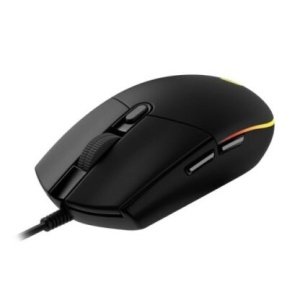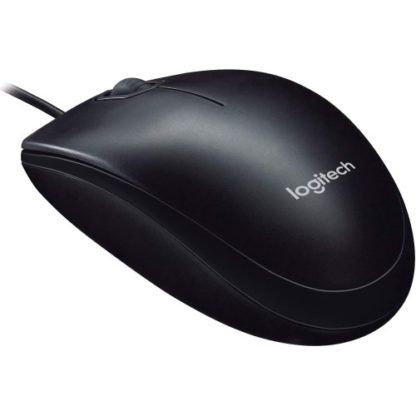
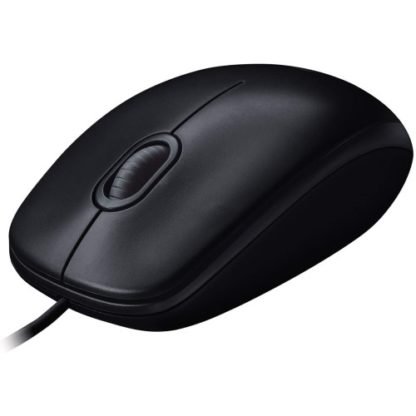
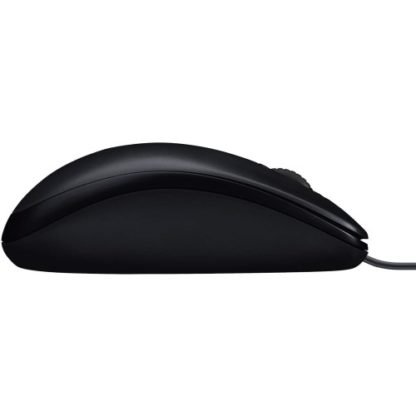
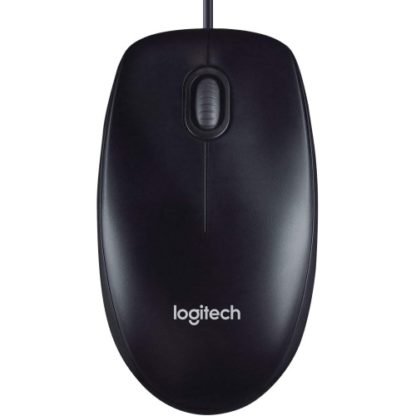
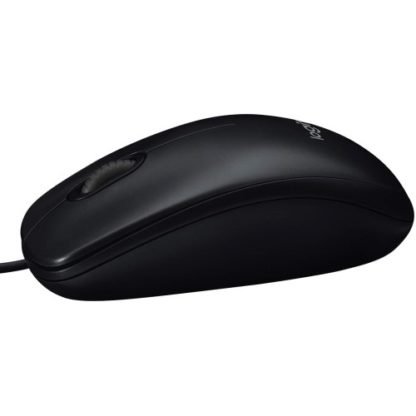
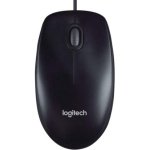
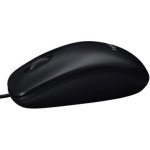
Logitech M90 Wired Mouse | 1000 DPI, USB Connectivity | Kenya
KSh 1,000.00
Key Features
- Optical tracking
- 1000 DPI
- Usb connectivity
- Windows, mac, chrome OS and linux compatibility
- Ratchet scroll wheel
Introduction
The Logitech M90 Wired Mouse Kenya is more than just a tool; it’s an essential companion for anyone who spends significant time on a computer. Whether you’re a student navigating online classes, a professional working from home, or a gamer diving into your favorite titles, having the right mouse can significantly enhance your productivity and comfort. This guide is designed to help you understand why the Logitech M90 Wired Mouse stands out in the crowded market of computer peripherals and how it can meet your specific needs.
In Kenya, where digital transformation is rapidly evolving, choosing the right computer accessories is crucial. The Logitech M90 Wired Mouse Kenya offers reliability and performance at an affordable price point, making it an attractive option for many consumers. With a current price of KSh 1000, this mouse delivers excellent value for money. In this guide, we will explore its features, benefits, and how to choose the best model for your needs, along with comparisons to other products in the market. Understanding these aspects is vital to making an informed purchasing decision.
What is Logitech M90 Wired Mouse?
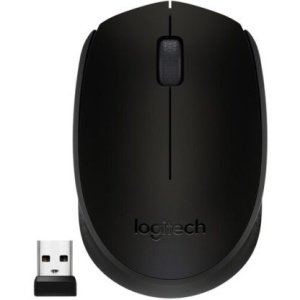
The Logitech M90 Wired Mouse is a straightforward, no-frills mouse designed for everyday use. It features a classic design that fits comfortably in your hand, making it suitable for prolonged usage without causing fatigue. Unlike wireless mice, the wired version eliminates the need for batteries and ensures a stable connection, which is particularly important in environments where reliability is paramount.
Marketed as a budget-friendly option, the Logitech M90 Wired Mouse Kenya is ideal for students, professionals, and casual users who require a dependable mouse without breaking the bank. It is compatible with various operating systems, including Windows and macOS, making it versatile for different users in Kenya. The mouse’s simple plug-and-play functionality means that you can start using it right out of the box, without the need for complicated setup processes.
In the context of the Kenyan market, where affordability and functionality are key considerations, the Logitech M90 Wired Mouse fits perfectly. Its design and performance cater to the needs of a diverse range of users, from those in bustling urban centers to those in more remote areas, ensuring that everyone can benefit from a reliable computing accessory.
Key Features and Benefits
Comfortable Design
The Logitech M90 Wired Mouse features a contoured shape that fits naturally in your hand. This ergonomic design helps reduce strain during prolonged use, making it an excellent choice for students and professionals who spend hours on their computers. Additionally, the textured grip provides added comfort and control, ensuring that you can navigate your tasks with ease.
Plug-and-Play Simplicity
One of the standout features of the Logitech M90 Wired Mouse Kenya is its plug-and-play functionality. Simply connect it to your computer’s USB port, and it’s ready to go. This ease of use is particularly beneficial for those who may not be tech-savvy, ensuring that anyone can enjoy the benefits without hassle. Moreover, this feature eliminates the need for software installation, allowing users to focus on their work instead of troubleshooting setup issues.
Durability
Logitech is known for its quality, and the M90 is no exception. Constructed with robust materials, this mouse is designed to withstand the rigors of daily use. This durability is especially important in the Kenyan market, where consumers seek products that can endure various environmental conditions. The M90’s build quality ensures that it can handle accidental drops and spills, making it a reliable choice for both home and office settings.
Precise Tracking
The optical sensor in the Logitech M90 Wired Mouse offers precise tracking on a variety of surfaces. This feature enhances your overall computing experience, whether you’re working on a desk, table, or even a less conventional surface. The 1000 DPI sensitivity ensures smooth and accurate cursor movements, which is crucial for tasks that require precision, such as graphic design or data entry. Users in Kenya can benefit from this feature, especially in environments where desk space may be limited.
Affordability
At a price point of KSh 1000, the Logitech M90 Wired Mouse Kenya is an affordable option for many consumers. This competitive pricing makes it accessible for students, professionals, and anyone looking to upgrade their computer setup without incurring significant costs. The affordability of the M90 does not compromise its quality, making it a smart investment for budget-conscious users.
Compatibility
The mouse is compatible with multiple operating systems, including Windows, macOS, and Linux. This versatility allows it to be used in various settings, whether for personal use, office work, or educational purposes. Users in Kenya will appreciate this feature, as it means they can easily switch between devices without worrying about compatibility issues.
Models and Variants
The Logitech M90 Wired Mouse is primarily offered as a single model, but it comes in different colors and designs to cater to various aesthetic preferences. While the core functionality remains the same, users can choose a design that best suits their personal style or workspace décor. The color variants of the Logitech M90 Wired Mouse Kenya can appeal to younger consumers who are looking for a bit of flair in their tech accessories. This customization option allows users to express their personality while enjoying the same reliable performance.
Additionally, there are other models within the Logitech range that offer similar features but may include wireless options or additional buttons for gaming. However, the M90 remains a popular choice for those who prioritize simplicity and reliability over advanced features. It’s essential to evaluate your specific needs when considering these options to ensure you select the best model for your requirements.
How to Choose the Right One
When considering the purchase of a Logitech M90 Wired Mouse, it’s essential to evaluate your specific needs and preferences. Here are some key factors to consider:
- Usage Purpose: Determine how you plan to use the mouse. If you’re a student or a professional, comfort and ease of use are paramount. For gamers, you might want to explore options with additional buttons or higher DPI settings. The M90 is best suited for general use rather than specialized gaming.
- Ergonomics: If you spend long hours using your computer, look for a mouse that fits comfortably in your hand. The M90’s ergonomic design is excellent for extended use, providing necessary support to prevent strain.
- Budget: With a price of KSh 1000, the Logitech M90 Wired Mouse Kenya is an affordable option. However, consider what features are essential for you and whether you might benefit from spending a little more on additional functionality, such as a wireless model or one with programmable buttons.
- Compatibility: Ensure that the mouse is compatible with your operating system. The M90 works well with Windows and macOS, making it versatile for most users. If you use Linux or other operating systems, verify compatibility before purchasing.
- Durability: If you’re in a busy environment, durability becomes a crucial factor. The robust build of the Logitech M90 Wired Mouse ensures it can handle daily wear and tear, making it a smart choice for students and professionals alike.
By considering these factors, you can make an informed decision that aligns with your needs and budget, ensuring you get the most value from your purchase.
Pros and Cons
Pros
- Affordability: At KSh 1000, the Logitech M90 Wired Mouse Kenya is budget-friendly, making it accessible for a wide range of users.
- Comfortable Design: Ergonomic shape reduces hand fatigue during extended use, making it suitable for long working hours.
- Durability: Built to last, making it a reliable choice for everyday use, even in demanding environments.
- Plug-and-Play: Easy to set up with no software installation required, allowing for immediate use.
- Precise Tracking: 1000 DPI optical sensor for smooth cursor movement, enhancing overall productivity.
Cons
- No Extra Features: Lacks additional buttons for gaming or shortcuts, which could be a drawback for power users.
- Wired Connection: May not be ideal for users who prefer wireless devices for mobility and ease of use.
- Basic Aesthetics: Limited design options compared to more premium models, which may not appeal to all users.
Weighing the pros and cons will help you determine if the Logitech M90 Wired Mouse is the right choice for your needs. While it may not have all the bells and whistles of higher-end models, its reliability and affordability make it a strong contender in the market.
Comparison with Top Competitors
When considering the Logitech M90 Wired Mouse Kenya, it’s essential to compare it with other similar products in the market. Here are a few notable competitors:
- HP X1000 Wired Mouse: Priced similarly, the HP X1000 offers a comfortable grip and reliable performance. However, it may not have the same level of durability as the M90, making it less suitable for heavy daily use.
- Microsoft Basic Optical Mouse: Another budget-friendly option, this mouse features a simple design and decent tracking. However, it lacks the ergonomic design of the M90, which could lead to discomfort during long use, especially for those who spend extended hours on the computer.
- AmazonBasics Wired Mouse: A no-frills option that competes closely in price. While it offers basic functionality, it may not be as durable as the Logitech M90, and users have reported issues with tracking precision over time.
In terms of performance, the Logitech M90 Wired Mouse often comes out on top due to its superior build quality and comfortable design. While other models may offer similar pricing, the M90’s reputation for reliability and ease of use makes it a preferred choice among consumers. The consistent positive feedback from users further solidifies its status as a go-to option for those seeking a dependable wired mouse.
Tips for Maximum Value
To get the most out of your Logitech M90 Wired Mouse, consider the following tips:
- Keep It Clean: Regularly clean the mouse and its optical sensor to ensure optimal performance. Dust and debris can affect tracking accuracy, so use a soft cloth and avoid harsh chemicals.
- Use a Mouse Pad: A quality mouse pad can enhance tracking and provide a smoother experience, especially on uneven surfaces. Look for a pad that complements the optical sensor’s capabilities.
- Adjust Settings: Explore your computer’s settings to customize mouse sensitivity and button functions, tailoring the experience to your needs. This can enhance your productivity, especially if you use the mouse for specific tasks.
- Consider Ergonomics: If you experience discomfort, consider adjusting your workspace to promote better posture and reduce strain. Investing in a proper chair and desk setup can significantly improve your overall comfort.
- Watch for Deals: Keep an eye out for promotions or discounts at local retailers or online stores to potentially save on your purchase. Many retailers in Kenya offer seasonal sales that can make this already affordable mouse even more budget-friendly.
By following these tips, you can enhance your user experience and ensure that your investment in the Logitech M90 Wired Mouse Kenya delivers maximum value.
Frequently Asked Questions
1. Is the Logitech M90 Wired Mouse compatible with my operating system?
Yes, the Logitech M90 Wired Mouse is compatible with multiple operating systems, including Windows, macOS, and Linux, making it a versatile choice for various users. This compatibility ensures that you can use the mouse seamlessly across different devices and platforms.
2. How do I clean my Logitech M90 Wired Mouse?
To clean your mouse, unplug it and use a soft, damp cloth to wipe the surface. For the optical sensor, use a cotton swab dipped in isopropyl alcohol to gently clean it without damaging the components. Regular cleaning helps maintain optimal performance and tracking accuracy.
3. Can I use the Logitech M90 Wired Mouse for gaming?
While the Logitech M90 Wired Mouse Kenya can handle casual gaming, it lacks the advanced features and DPI settings found in gaming mice. For serious gamers, a dedicated gaming mouse with customizable buttons and higher sensitivity would be more suitable. However, for casual gaming sessions, the M90 can still provide a satisfactory experience.
4. Does the Logitech M90 Wired Mouse require software installation?
No, the Logitech M90 Wired Mouse is a plug-and-play device, meaning you can use it immediately after connecting it to your computer without needing to install any software. This feature is particularly beneficial for users who prefer a hassle-free setup.
5. What should I do if my mouse stops working?
If your mouse stops working, check the USB connection and try plugging it into a different port. If it still doesn’t work, consider testing it on another computer to determine if the issue is with the mouse or your computer. If the mouse is still unresponsive, it may be necessary to contact Logitech support for further assistance.
6. Is there a warranty for the Logitech M90 Wired Mouse?
Yes, Logitech typically offers a limited warranty for their products, including the M90. Check the packaging or the Logitech website for specific warranty details and duration. This warranty provides peace of mind, knowing that your investment is protected against manufacturing defects.
7. Can I use the Logitech M90 Wired Mouse on a laptop?
Absolutely! The Logitech M90 Wired Mouse is compatible with laptops and can enhance your computing experience, especially if you’re used to a touchpad. Its ergonomic design and precise tracking capabilities make it an excellent choice for laptop users who require a more comfortable and efficient navigation solution.
Final Verdict
In conclusion, the Logitech M90 Wired Mouse Kenya is an excellent choice for anyone seeking a reliable, affordable, and easy-to-use mouse. Its ergonomic design, durability, and plug-and-play functionality make it suitable for a wide range of users, from students to professionals. At KSh 1000, it offers exceptional value for money, making it accessible to many Kenyans looking to improve their computer setup.
If you’re in the market for a dependable wired mouse that won’t let you down, the Logitech M90 Wired Mouse is a strong contender. Don’t miss out on the opportunity to enhance your computing experience—consider purchasing the Logitech M90 Wired Mouse Kenya today!
Alternative Products
- Logitech M350 Wireless Mouse | Silent Clicks, Bluetooth, Compact | Kenya - KSh 5,500.00
- Logitech M171 Wireless Mouse | 10m Range, Plug & Play | Kenya - KSh 2,000.00
- Logitech MX Anywhere 3S Wireless Mouse | 8K DPI, MagSpeed Scroll, Compact | Kenya - KSh 13,500.00
- Logitech M720 Wireless Mouse | Hyper-Fast Scrolling, Multi-Device | Kenya - KSh 7,500.00
- Logitech M185 Wireless Mouse | Plug & Play, 12-Month Battery Life | Kenya - KSh 2,800.00
Related products