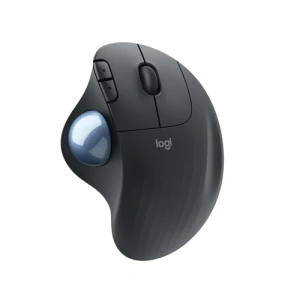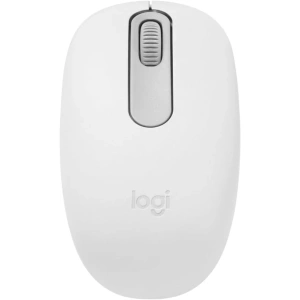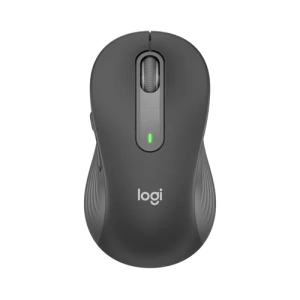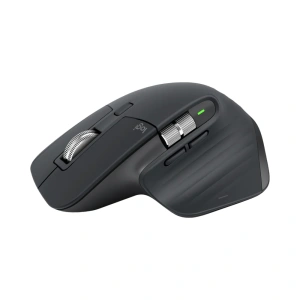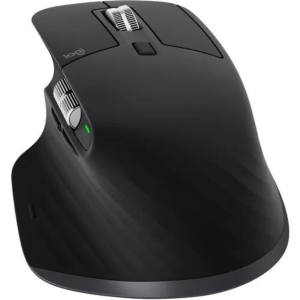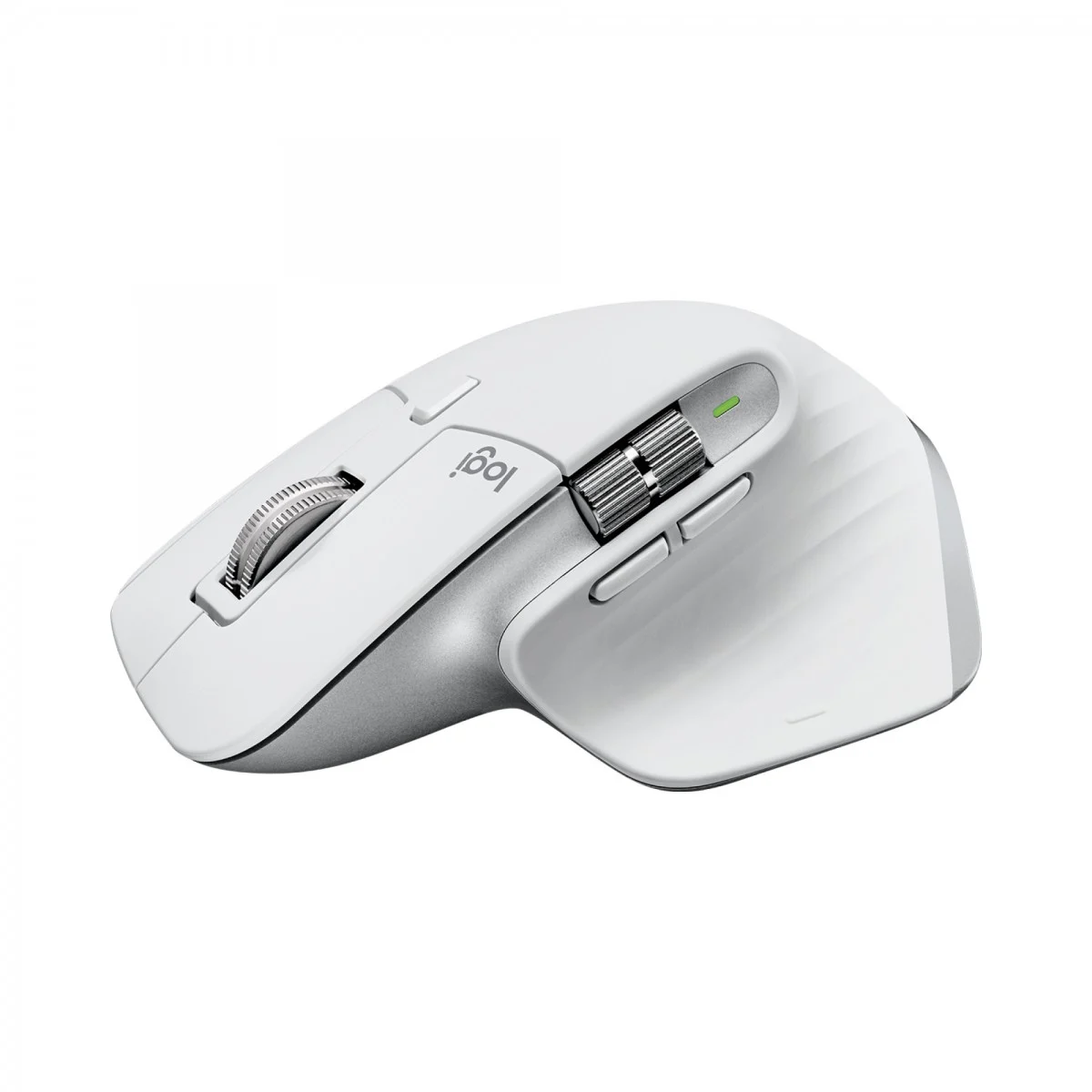
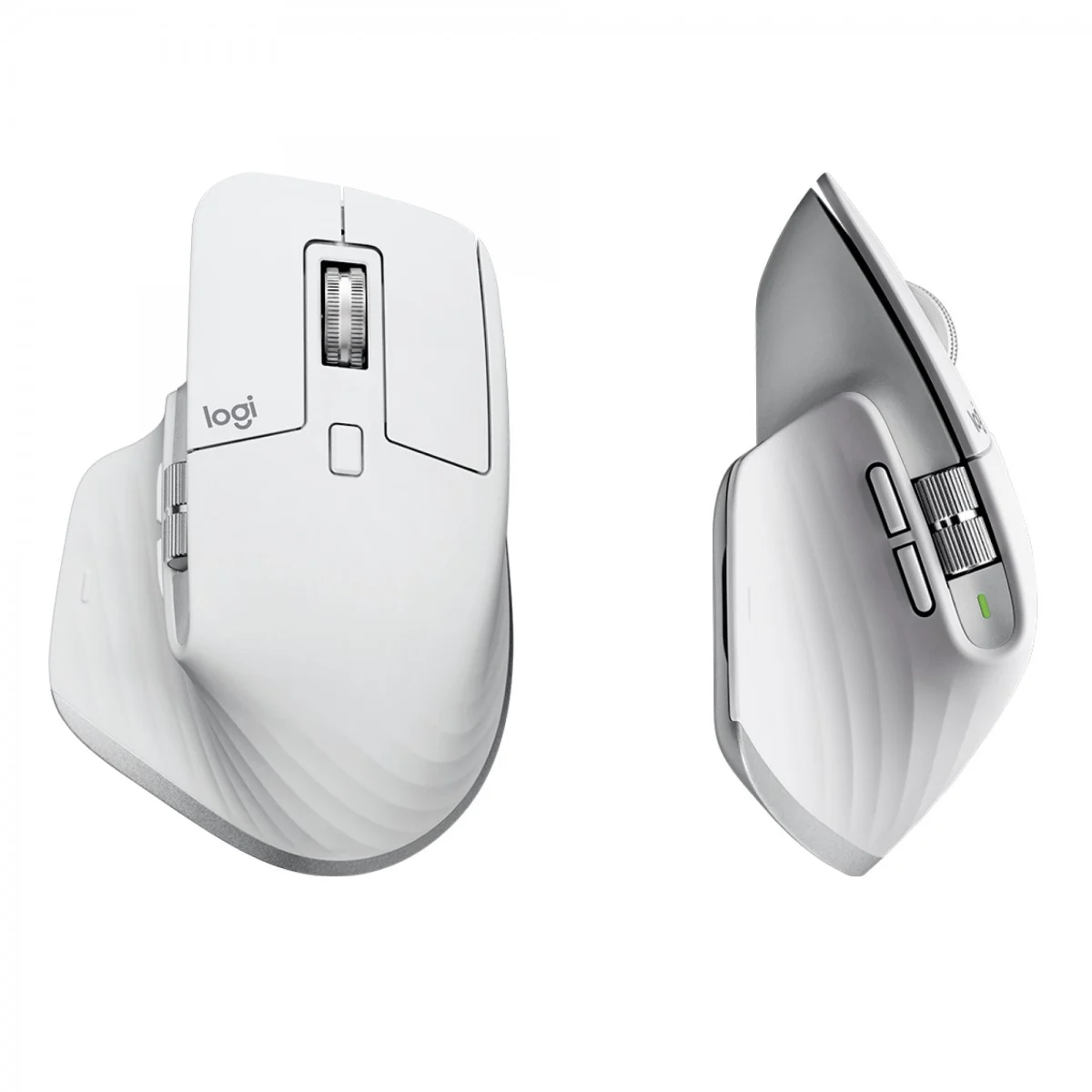

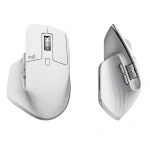

Logitech MX Master 3S Wireless Mouse | 8K DPI, Multi-Device | Kenya
KSh 17,500.00
Key Features
- Office Laser 8000 DPI Silver, White
- Right-hand RF Wireless + Bluetooth 393.7″ (10 m)
- Scroll type: Wheel Buttons quantity: 7
- Power source: Batteries 39.4″ (1 m)
- Built-in battery Rechargeable Lithium Polymer (LiPo) 500 mAh
Introduction
The Logitech MX Master 3S Wireless Mouse Kenya is not just any mouse; it’s a sophisticated tool designed for professionals and enthusiasts alike. In today’s fast-paced digital world, having the right equipment can make a world of difference in productivity and comfort. This guide aims to provide you with all the essential information you need to make an informed purchase, ensuring you choose the right mouse that suits your specific needs. With the increasing demand for high-performance peripherals in Kenya, understanding the features and benefits of the Logitech MX Master 3S Wireless Mouse is crucial. Whether you’re a graphic designer, a programmer, or simply someone who spends long hours on the computer, this guide will cover everything from the product’s features to how it compares with competitors. Let’s dive in and explore what makes the Logitech MX Master 3S Wireless Mouse Kenya a top choice for many users.
What is Logitech MX Master 3S Wireless Mouse?
The Logitech MX Master 3S Wireless Mouse is a premium wireless mouse designed for efficiency and comfort. Launched as an upgrade to the already popular MX Master 3, this mouse incorporates advanced technology and ergonomic design to enhance user experience. It features a high-precision sensor, customizable buttons, and an impressive battery life, making it ideal for both office work and creative tasks. The mouse is compatible with multiple operating systems, including Windows and macOS, which broadens its appeal in the Kenyan market, where diverse user needs exist.
In the context of the Kenyan market, the demand for quality computer peripherals has been on the rise, especially with the increase in remote working and digital entrepreneurship. The Logitech MX Master 3S Wireless Mouse stands out due to its combination of functionality and design, making it suitable for everything from casual browsing to intensive graphic design work. With a current price of KSh 17,500, it positions itself as a premium offering, catering to professionals who value performance and durability.
Key Features and Benefits
The Logitech MX Master 3S Wireless Mouse boasts several features that set it apart from other mice on the market. Here’s a detailed breakdown of its key features and the benefits they offer:
- Advanced Optical Sensor: The MX Master 3S features a high-precision 8,000 DPI sensor that works on virtually any surface, including glass. This ensures smooth tracking and accuracy, which is crucial for graphic designers and gamers alike. The high DPI allows for precise movements, making it easier to work on detailed projects or navigate large screens.
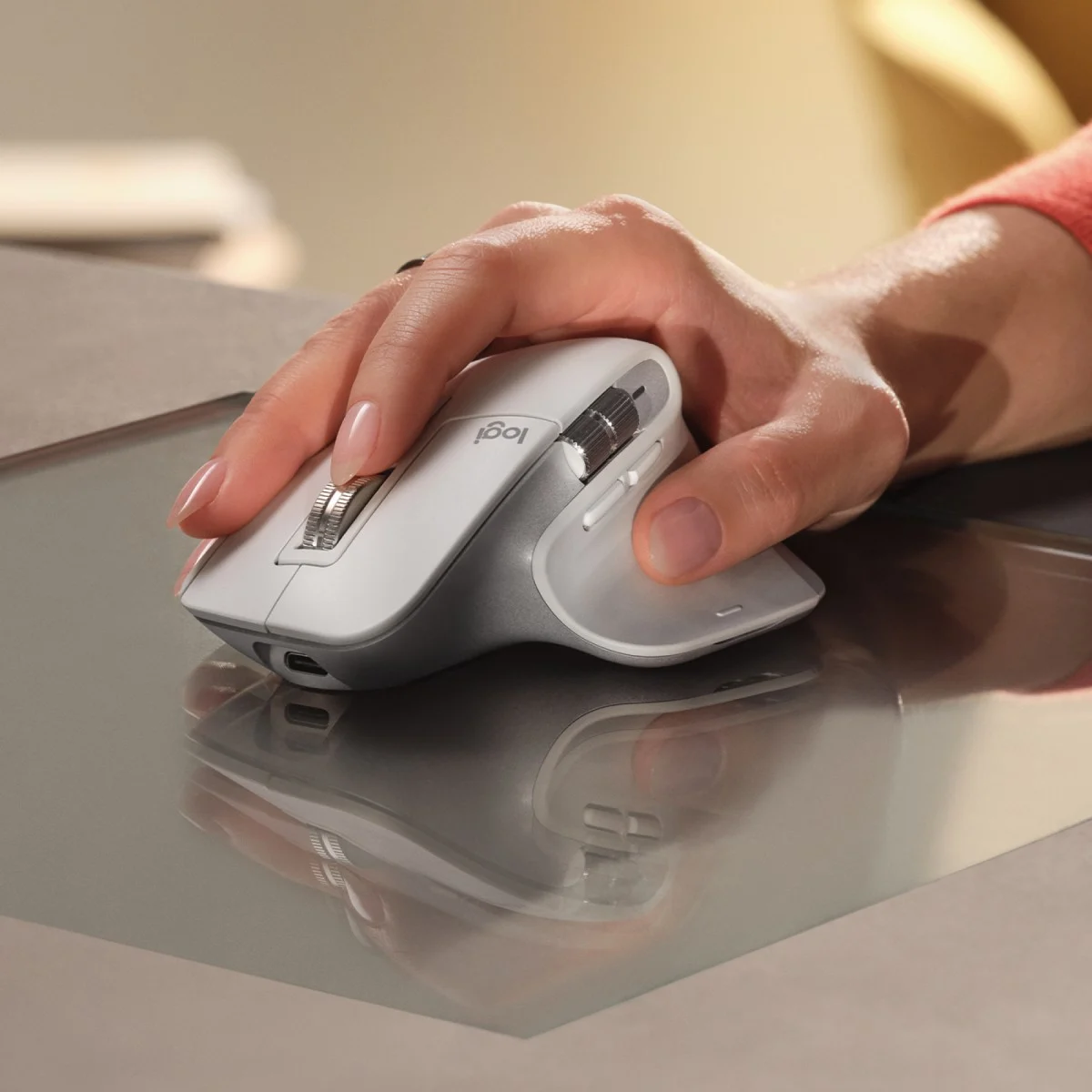
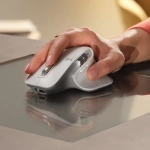
- Ergonomic Design: Designed for comfort, the mouse fits perfectly in your hand, reducing strain during long hours of use. Its thumb rest and sculpted shape cater to right-handed users, promoting a natural posture. The ergonomic design not only enhances comfort but also improves productivity by allowing users to work longer without discomfort.
- Customizable Buttons: With 7 programmable buttons, users can tailor the mouse to their workflow. This is particularly beneficial for professionals who rely on shortcuts to enhance productivity. Each button can be configured for specific applications, making it a versatile tool. This customization enables users to streamline their tasks and access frequently used functions with ease.
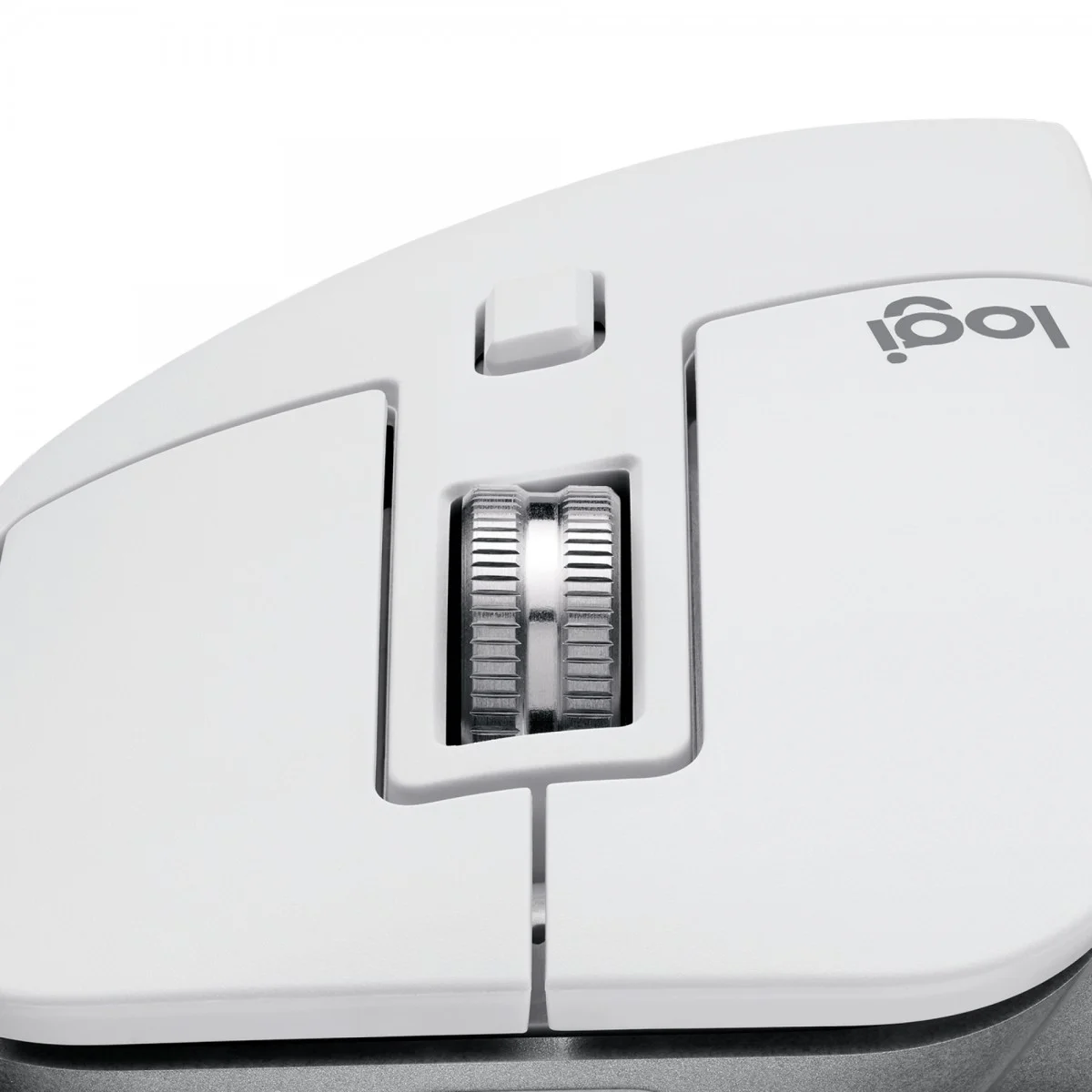
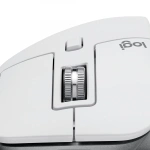
- MagSpeed Scroll Wheel: The innovative scroll wheel allows for both precise and hyper-fast scrolling. This feature is particularly useful when navigating through long documents or web pages, enabling users to scroll 1,000 lines in a second. The scroll wheel’s adaptability makes it ideal for both detailed work and rapid navigation.
- Multi-Device Connectivity: The mouse can connect to up to three devices simultaneously via Bluetooth or the Logitech Unifying Receiver. This makes it easy to switch between devices, an essential feature for multitaskers. For example, a user can seamlessly transition from their laptop to a tablet without needing to re-pair the device.
- Long Battery Life: With a rechargeable battery that lasts up to 70 days on a full charge, the MX Master 3S minimizes downtime. A quick charge feature allows for three hours of use from just one minute of charging. This feature is particularly valuable for busy professionals who cannot afford interruptions in their workflow.
- Logitech Options Software: This software enables users to customize the mouse settings further, including button assignments and gesture control, enhancing the overall user experience. The software also allows for the adjustment of tracking speed and scrolling preferences, ensuring that the mouse operates exactly as the user prefers.
In summary, the Logitech MX Master 3S Wireless Mouse Kenya combines cutting-edge technology with user-centric design, making it an excellent investment for anyone looking to enhance their productivity and comfort during computer use.
Models and Variants
The Logitech MX Master 3S Wireless Mouse comes in a few different variants, catering to various user preferences. Here are the notable models and their distinctions:
- Logitech MX Master 3S (Standard): This is the flagship model, featuring all the advanced functionalities mentioned earlier. It is available in multiple colors, including Graphite and Pale Gray, allowing users to choose according to their aesthetic preferences. This model is ideal for users looking for a blend of functionality and style.
- Logitech MX Master 3S for Mac: Specifically designed for Mac users, this variant comes with a white finish and is optimized for macOS functionality. It includes features that enhance compatibility with Apple devices, making it ideal for creative professionals who use Macs. This variant ensures that Mac users have a seamless experience with their devices.
- Logitech MX Anywhere 3: Although not a direct variant, this is a more compact version of the MX Master series, designed for users who need portability. It shares many features with the MX Master 3S but is smaller, making it perfect for travel. This model is suited for professionals on the go who still want high performance without the bulk.
Each model serves different needs, so it’s essential to consider your specific requirements when choosing among them. Whether you prefer the premium features of the MX Master 3S or the portability of the MX Anywhere 3, Logitech has a solution tailored for you.
How to Choose the Right One
Selecting the right mouse can significantly enhance your computing experience. Here are several factors to consider when choosing the Logitech MX Master 3S Wireless Mouse Kenya:
- Usage Type: Determine how you plan to use the mouse. If you’re a graphic designer or a gamer, the advanced features of the MX Master 3S will be beneficial. For casual browsing, a simpler model may suffice. Consider your daily tasks and how a high-performance mouse can enhance your efficiency.
- Ergonomics: Comfort is key, especially for long hours of use. If you have larger hands or prefer a specific grip style, try the mouse in-store if possible to ensure it fits comfortably. An ergonomic mouse can help prevent repetitive strain injuries, which are common among heavy computer users.
- Device Compatibility: Ensure the mouse is compatible with your operating system. The MX Master 3S is versatile, but if you’re a Mac user, consider the Mac-specific version for optimized performance. Check for any specific features that might be exclusive to certain operating systems.
- Budget: At KSh 17,500, the MX Master 3S is a premium investment. Evaluate your budget and consider if the features justify the price for your needs. There are cheaper alternatives, but they may lack the advanced features you require. Assess the long-term value of investing in a high-quality mouse.
- Future-Proofing: Consider investing in a mouse that will serve you well in the future. The MX Master 3S is designed for longevity, meaning it may save you money in the long run compared to frequently replacing cheaper models. A durable mouse can withstand daily use and remain functional for years.
- Reviews and Recommendations: Research online reviews and seek recommendations from friends or colleagues who have experience with the product. Real-world feedback can provide insights into performance and reliability. User reviews can highlight both strengths and weaknesses that may not be apparent from product descriptions alone.
By considering these factors, you can make a more informed decision and choose the Logitech MX Master 3S Wireless Mouse that best fits your needs and preferences.
Pros and Cons
Like any product, the Logitech MX Master 3S Wireless Mouse Kenya has its strengths and weaknesses. Here’s a balanced assessment:
Pros:
- Exceptional Comfort: The ergonomic design is praised for its comfort, making it suitable for extended use. Users report less hand fatigue, allowing for longer working sessions without discomfort.
- Advanced Features: With customizable buttons and a high-precision sensor, it caters to professionals who require efficiency. The ability to tailor the mouse to specific tasks can significantly enhance productivity.
- Multi-Device Connectivity: The ability to connect to three devices simultaneously is a significant advantage for multitaskers. This feature is particularly useful for users who switch between different devices frequently, such as a laptop and a tablet.
- Long Battery Life: Users appreciate the longevity of the battery, reducing the frequency of charging. This feature is especially beneficial for busy professionals who need their devices to be ready for use at all times.
- Quality Build: Logitech is known for its durable products, and the MX Master 3S is no exception, ensuring a long lifespan. The materials used in its construction provide a premium feel and reliability over time.
Cons:
- Price Point: At KSh 17,500, it may be considered expensive for casual users who do not require its advanced features. Budget-conscious consumers might find it difficult to justify the investment.
- Size: Its larger size may not be suitable for users with smaller hands or those who prefer a more compact mouse. Users with smaller hands might find it uncomfortable after prolonged use.
- Learning Curve: New users may take time to adjust to the various customizable features and settings. The extensive options can be overwhelming for those unfamiliar with advanced mice.
In conclusion, while the Logitech MX Master 3S Wireless Mouse offers numerous advantages, potential buyers should weigh these against the cons to determine if it meets their specific needs.
Comparison with Top Competitors
When evaluating the Logitech MX Master 3S Wireless Mouse Kenya, it’s essential to compare it with its top competitors in the market. Here’s how it stacks up against similar products:
- Razer Basilisk X Hyperspeed: This mouse is geared towards gamers and offers customizable DPI settings. While it’s more affordable (around KSh 8,000), it lacks the ergonomic design and advanced features of the MX Master 3S, making it less suitable for professional use. The Basilisk X is designed for speed and precision, but it may not provide the comfort needed for long work sessions.
- Apple Magic Mouse 2: Priced similarly to the MX Master 3S, the Magic Mouse 2 is sleek and designed for Mac users. However, it doesn’t offer the same level of customization or ergonomic support, making it less ideal for long work sessions. The Magic Mouse’s touch-sensitive surface can be appealing, but it may not provide the tactile feedback that many users prefer.
- Logitech MX Anywhere 3: This compact version is more portable and slightly cheaper (around KSh 12,500). While it shares many features with the MX Master 3S, it lacks the advanced scroll wheel and ergonomic design, making it better suited for travel rather than extensive office use. The MX Anywhere 3 is a great option for users who prioritize portability but may sacrifice some comfort and features.
When compared to these competitors, the Logitech MX Master 3S Wireless Mouse stands out for its ergonomic design, advanced features, and multi-device connectivity, making it the preferred choice for professionals who value productivity and comfort.
Tips for Maximum Value
To get the most out of your Logitech MX Master 3S Wireless Mouse Kenya, consider the following tips:
- Utilize Logitech Options Software: Download and install the Logitech Options software to customize your mouse settings. This allows you to assign specific functions to buttons and optimize performance for different applications. Customizing settings can greatly enhance your workflow and efficiency.
- Regularly Charge the Mouse: To maintain battery health, charge the mouse regularly. A full charge lasts up to 70 days, but keeping it topped up can ensure it’s always ready for use. Avoid letting the battery deplete completely to extend its lifespan.
- Adjust Sensitivity Settings: Tailor the DPI settings to your preference for different tasks. Higher DPI settings are great for detailed work, while lower settings can be useful for general browsing. Personalizing these settings can enhance your precision and comfort.
- Explore Gesture Controls: Take advantage of the gesture controls available through the Logitech Options software. This can streamline your workflow and make navigating applications more intuitive. Gesture controls can save time and improve efficiency by allowing quick access to functions.
- Keep it Clean: Regularly clean the mouse, especially the sensor and scroll wheel, to ensure optimal performance and longevity. Dust and grime can affect tracking accuracy and scrolling functionality.
By following these tips, you can enhance your experience with the Logitech MX Master 3S Wireless Mouse and maximize its value for your daily tasks.
Frequently Asked Questions
1. Is the Logitech MX Master 3S compatible with Mac?
Yes, the Logitech MX Master 3S Wireless Mouse is compatible with macOS and Windows operating systems. There is also a specific version designed for Mac users, which is optimized for macOS functionality. This ensures that Mac users can take full advantage of the mouse’s features.
2. How long does the battery last?
The battery life of the MX Master 3S can last up to 70 days on a full charge. Additionally, it has a quick charge feature that provides three hours of use from just one minute of charging. This feature is particularly useful for users who may forget to charge their devices regularly.
3. Can I connect the mouse to multiple devices?
Yes, the Logitech MX Master 3S Wireless Mouse can connect to up to three devices simultaneously. You can easily switch between devices using the Easy-Switch buttons on the mouse. This functionality is ideal for users who work across multiple platforms, such as a laptop and a desktop.
4. What is the DPI range of the MX Master 3S?
The MX Master 3S features an adjustable DPI range of up to 8,000 DPI, allowing for precise tracking on various surfaces, including glass. This flexibility makes it suitable for a wide range of tasks, from detailed graphic design to general office work.
5. Is the mouse suitable for gaming?
While the MX Master 3S is primarily designed for productivity, its high DPI settings and customizable buttons can make it suitable for casual gaming. However, dedicated gaming mice may offer better performance for competitive gaming. If gaming is a primary focus, consider a mouse specifically designed for that purpose.
6. How do I customize the buttons?
You can customize the buttons of the Logitech MX Master 3S Wireless Mouse using the Logitech Options software, which allows you to assign specific functions or shortcuts to each button based on your preferences. This customization can greatly enhance your workflow by providing quick access to frequently used functions.
7. What is the warranty on the MX Master 3S?
The Logitech MX Master 3S Wireless Mouse typically comes with a limited warranty of two years, ensuring protection against defects in materials and workmanship. This warranty provides peace of mind for users investing in a premium product.
Troubleshooting Guide
If you encounter issues with your Logitech MX Master 3S Wireless Mouse, consider the following troubleshooting steps:
- Mouse Not Responding: Ensure that the mouse is charged. If it’s not responding, try connecting it to a different USB port or using a different Bluetooth device to rule out connectivity issues. Restarting your computer can also help resolve temporary glitches.
- Tracking Issues: If the mouse is not tracking properly, check the surface you are using it on. The MX Master 3S works on most surfaces, but some materials may interfere with tracking. Cleaning the sensor and ensuring the mouse is free from dust can also help.
- Button Customization Not Working: If button assignments are not functioning as expected, ensure that the Logitech Options software is up to date. Reassigning the buttons in the software may also resolve the issue.
- Connection Problems: If you’re having trouble connecting to devices, try resetting the Bluetooth connection or re-pairing the mouse. Make sure the devices are within range and that Bluetooth is enabled on your computer or tablet.
- Battery Not Charging: If the mouse is not charging, check the charging cable and port for any damage. Try using a different cable or charging port to see if that resolves the issue.
Final Verdict
The Logitech MX Master 3S Wireless Mouse Kenya is a powerful tool designed for those who prioritize comfort, efficiency, and advanced features in their computing experience. With its ergonomic design, customizable options, and impressive battery life, it stands out as a top choice for professionals and serious users alike. While it comes at a premium price of KSh 17,500, the investment is justified by its performance and durability. If you’re looking to enhance your productivity and comfort during long hours of work or creative tasks, the MX Master 3S is a worthy
Alternative Products
- Logitech M350 Wireless Mouse | Silent Clicks, Bluetooth, Compact | Kenya - KSh 5,500.00
- Logitech MX Master 3S Wireless Mouse | Ergonomic, 8K DPI, Multi-Device | Kenya - KSh 15,000.00
- Logitech M196 Wireless Black Mouse | Compact, Plug & Play | Kenya - KSh 3,000.00
- Logitech M720 Wireless Mouse | Hyper-Fast Scrolling, Multi-Device | Kenya - KSh 7,500.00
- Logitech G102 Gaming Mouse | 4000 DPI, 8 Programmable Buttons | Kenya - KSh 5,500.00
Related products