DJI OSMO MOBILE SE
KSh 15,500.00
DJI OSMO MOBILE SE Key Features
- 3-Axis Stabilization
- Magnetic Design
- Portable and Foldable
- Active Track 6.0
- Quick Roll
- Easy Tutorial and One-tap editing
DJI OSMO MOBILE SE Review By Cytech Digitals in Kenya
The DJI Osmo Mobile SE Gimbal is a remarkable tool for both amateur and professional videographers looking to elevate their smartphone filming capabilities. Its lightweight, foldable design enhances portability, making it an ideal companion for those on the move. Simply unfold, snap-in your smartphone, and start rolling your video. With the Osmo Mobile SE’s lightweight body and magnetic quick-release design, you can easily carry it around and capture stunning footage anytime inspiration strikes. The newly added status panel allows for quick mode switching at the push of a button, ensuring that you can adapt to any shooting situation seamlessly. Additionally, the gimbal boasts an impressive array of intelligent features that help to dynamically shoot and highlight moments, adding a creative flair to your captures. The 2,600 mAh battery provides up to 8 hours of power, offering ample time to shoot productive work on-site.
DJI Osmo Mobile SE Specifications, Key Features, and Price in Kenya
| Brand | DJI |
| Product Name | Osmo Mobile SE |
| Type | Handheld Gimbal |
| Dimensions |
|
| Weight |
|
| Compatible phones |
|
| Wireless Mode | Connectivity: Bluetooth v5.1 |
| App | DJI Mimo |
| Grip Tripod |
|
| Gimbal | Mechanical Range
Max Control Speed
|
| Osmo Mobile SE Battery |
|
Product Description
Design
The Osmo Mobile SE features a sleek and foldable design that is not only stylish but also incredibly practical. This gimbal can easily be stored in your bag or even a pocket, making it perfect for spontaneous shooting sessions. Whether you’re capturing stunning landscapes or documenting moments with friends and family, the Osmo Mobile SE is designed to be ready at a moment’s notice.
Film in a Snap
Imagine being able to capture those fleeting moments, like a child’s first steps or an unforgettable game-winning touchdown, without any hassle. With the Osmo Mobile SE, simply clamp your smartphone, snap it onto the gimbal, and you’re ready to shoot. The magnetic phone clamp allows for quick and easy attachment and detachment, so you can swiftly take calls or share exciting news without missing a beat.
High-Precision Brushless Motor
Equipped with a high-torque brushless motor, the DJI Osmo Mobile SE provides exceptional stability and responsiveness. This motor ensures that even the slightest shifts are compensated for, allowing you to shoot smooth, shake-free footage regardless of whether you’re using a lightweight or heavier smartphone. This feature is especially beneficial for those who want to maintain high production quality while filming on the go.
Unique Intelligent Features on the DJI Osmo Mobile SE Gimbal
ActiveTrack 6.0
The ActiveTrack 6.0 feature takes subject tracking to the next level. The Osmo Mobile SE can reliably follow a subject, even in crowded scenes or during fast-paced action, making it perfect for sports events or dynamic family gatherings. Whether your subject turns to the side or spins around, the gimbal keeps them centered in the frame, ensuring smooth and cinematic footage. Additionally, you can utilize the zoom function while tracking, adding depth and richness to your visual storytelling. If your subject temporarily leaves the frame, the gimbal can automatically zoom and adjust to find and follow them again, providing a seamless shooting experience.
Timelapse
With support for Timelapse, Motionlapse, and Hyperlapse, the Osmo Mobile SE allows you to create stunning time-altered videos effortlessly. The built-in Motionlapse templates make it easy to condense highlighted clips into visually striking videos. Here’s a quick breakdown of each feature:
- Hyperlapse: Capture the essence of movement, whether you’re strolling through a park or driving past scenic landscapes. The Hyperlapse feature compresses time, allowing you to relive those moments in a captivating way.
- Motionlapse: Set a predetermined gimbal path to add dynamic camera movements to your timelapse, creating visually engaging sequences.
- Timelapse: Simply set the gimbal down and let it do the work, capturing breathtaking views while you enjoy the scenery.
Endless Creative Ideas
The DJI Osmo Mobile SE is packed with features that inspire creativity in your videos:
- Panorama: Capture expansive landscapes in one seamless shot. If you’re indoors, use the CloneMe Panorama feature to take fun photos of yourself in multiple places at once.
- Dynamic Zoom: Create a sense of depth and drama in your shots by pushing the zoom slider to move in or out.
- Gesture Control: Perfect for group shots or solo recordings, you can start and stop recording with a simple hand gesture, eliminating the need for a remote or self-timer.
- Story Mode: Choose from a variety of templates that match camera movements, transitions, and soundtracks, allowing you to create professional-looking videos with a single tap.
Shooting Scenarios
Horizontal and Vertical
The Quick Roll feature allows you to switch effortlessly between horizontal filming for longer videos and vertical filming for short, engaging content. Whether you’re moving around or staying still, you can easily adapt your shooting style to fit your needs, making it versatile for social media or professional projects.
Intuitive Mode Checking
The built-in status panel provides essential information at a glance, including battery level, system status, and gimbal mode. With a simple press of the M button, you can switch between four gimbal modes, enhancing your filming experience:
- Follow: The camera view follows the gimbal’s pan and tilt movements, ensuring stability during rolls. This mode is ideal for capturing dynamic shots.
- Tilt Locked: The camera view remains stable during tilts and rolls while following the gimbal’s pan movement, making it perfect for horizontal shooting.
- FPV: In FPV mode, all three axes of the gimbal follow the main body’s movements, offering dynamic filming opportunities for still subjects.
- SpinShot: Control the camera’s rotation by pushing the joystick left or right, creating dynamic footage that adds excitement to your videos.
A Built-In Cinematographer: Shooting and Editing Assistance
DJI Mimo
The DJI Mimo app is a powerful companion for the Osmo Mobile SE. With ShotGuides, you’ll have access to a variety of shooting guides tailored to different scenes. These guides are user-friendly, making it easy for anyone to film like a pro.
LightCut
Transitioning from the DJI Mimo app to the LightCut app is seamless, offering AI-powered one-tap editing and a selection of exclusive video templates. This feature simplifies the process from shooting to editing, making it an ideal solution for new creators looking to produce high-quality content without extensive editing skills.
Accessories: More Than Just a Supporting Role
DJI OM Fill Light Phone Clamp
The DJI OM Fill Light Phone Clamp is an excellent accessory for those who often shoot in low-light conditions. With three color temperatures (cool, warm, and mixed) and three brightness levels, you can combat poor lighting and achieve the perfect ambiance for your videos.
Pros and Cons of Osmo Mobile SE
Pros
- Compact and lightweight, collapsible design that enhances portability.
- Fits easily in bags or backpacks, making it travel-friendly.
- Quick setup allows for immediate video recording.
- Transform highlighted clips into professional-looking videos using Timelapse, Motionlapse, and Hyperlapse.
- 3-axis image stabilization ensures smooth, shake-free footage.
- Handles large and heavy smartphones, such as the iPhone 14 and 15, with ease.
- Long-lasting 2,600 mAh battery provides up to 8 hours of usage.
- Grip tripod allows for handheld shooting, ideal for timelapses.
- ActiveTrack 6.0 enhances subject tracking while using the zoom function.
- Compatible with both Android and iOS smartphones.
- Competitive pricing compared to other models like the DJI Osmo Mobile 6.
Cons
- Basic plastic build may not feel premium.
- Limited to shooting in 1080p or 4K at 30 fps.
- Cannot switch to the Panoramic Camera from within the MIMO App.
- Requires using the native camera app for Panoramic Shots.
- Rational Movement is somewhat limited.
- No hard case included for storage.
Buying Guide: What to Consider When Choosing a Gimbal
When investing in a gimbal like the DJI Osmo Mobile SE, there are several important factors to consider to ensure you make the right choice for your needs:
1. Compatibility with Your Smartphone
Before purchasing, check the compatibility of the gimbal with your smartphone. The Osmo Mobile SE supports smartphones weighing between 170-290 g, with a thickness of 6.9-10 mm and a width of 67-84 mm. Ensure your device fits within these specifications for optimal performance.
2. Battery Life
The Osmo Mobile SE features a 2,600 mAh battery that provides approximately 8 hours of use. For long shooting sessions or events, consider how battery life will impact your ability to capture footage without interruption. Assess whether this duration meets your filming needs, especially in situations where charging may not be readily available.
3. Intelligent Features
The intelligent features of the Osmo Mobile SE, such as ActiveTrack 6.0 and various time-lapse modes, can significantly enhance your shooting experience. Evaluate these features based on your filming style and the types of content you wish to create. If you plan to capture fast-moving subjects or create cinematic time-lapses, these features will be invaluable.
4. Portability
Portability is a critical aspect for those who travel frequently or shoot on location. The foldable design of the Osmo Mobile SE makes it easy to carry and store. Ensure that the gimbal’s weight and size align with your mobility needs, allowing you to take it anywhere without hassle.
5. Price and Value
Currently priced at KSh 15,500, the DJI Osmo Mobile SE offers excellent value for its features and performance. Compare this price with other options on the market, such as the DJI Osmo Mobile 6, to determine which model provides the best balance of features and affordability for your budget.
Use Cases: How the DJI Osmo Mobile SE Can Enhance Your Filming
Understanding how the Osmo Mobile SE can be utilized in various scenarios will help you appreciate its versatility:
1. Travel Vlogging
For travel enthusiasts, the Osmo Mobile SE is an essential tool. Its compact design allows you to capture smooth footage while exploring new destinations. Use the gimbal to film scenic landscapes, bustling markets, or cultural experiences, ensuring that your memories are preserved in high quality.
2. Event Coverage
Whether you’re covering a wedding, concert, or sports event, the Osmo Mobile SE provides the stability needed to shoot dynamic footage. Utilize the ActiveTrack feature to follow moving subjects, capturing key moments without losing focus. The long battery life ensures you can film throughout the event without interruptions.
3. Social Media Content Creation
With the rise of platforms like Instagram and TikTok, content creators can benefit from the Osmo Mobile SE’s ability to produce professional-looking videos. The various shooting modes and intelligent features allow you to create engaging content that stands out in crowded feeds.
4. Family Moments
Capture precious moments with family and friends using the Osmo Mobile SE. Whether it’s a birthday party or a family gathering, the gimbal’s ease of use and stability ensure that you can focus on the experience while filming high-quality videos.
FAQs about the DJI Osmo Mobile SE
1. How do I charge the DJI Osmo Mobile SE?
The Osmo Mobile SE can be charged using a USB-C charger. It takes approximately 2 hours and 12 minutes to fully charge the gimbal with a 10W charger.
2. Can I use the Osmo Mobile SE with a case on my smartphone?
It’s recommended to remove your smartphone case for optimal compatibility and balance. However, some slim cases may fit, but this can affect the gimbal’s performance.
3. What should I do if the gimbal is not balancing properly?
If the gimbal is not balancing correctly, ensure that your smartphone is securely attached and that it fits within the specified weight and size limits. Adjust the clamp position if necessary and make sure the gimbal is powered on before attempting to balance it.
4. Is the Osmo Mobile SE waterproof?
No, the Osmo Mobile SE is not waterproof. It’s essential to keep the gimbal away from water and moisture to avoid damaging the electronic components.
5. How do I update the firmware on the DJI Osmo Mobile SE?
To update the firmware, connect the gimbal to the DJI Mimo app on your smartphone. Follow the on-screen instructions to check for and install any available updates.
Troubleshooting Tips
If you encounter issues while using the DJI Osmo Mobile SE, consider the following troubleshooting tips:
1. Gimbal Won’t Power On
Ensure that the gimbal is charged. If it still won’t turn on, try resetting the gimbal by holding the power button for 10 seconds.
2. Smartphone Keeps Falling Off
Check that the magnetic clamp is securely fastened and that your smartphone is properly balanced. Adjust the position of the clamp if necessary.
3. Footage is Shaky
If you’re experiencing shaky footage, ensure that the gimbal is correctly balanced and that you are using the appropriate shooting mode for your needs.
4. App Connection Issues
If the DJI Mimo app is not connecting to the gimbal, try restarting both the app and the gimbal. Ensure that Bluetooth is enabled on your smartphone.
Conclusion
The DJI Osmo Mobile SE is an exceptional handheld gimbal that combines portability, ease of use, and advanced features to elevate your smartphone videography. Whether you’re traveling, covering events, or creating content for social media,
Alternative Products
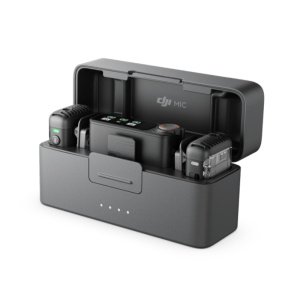
- DJI MIC 2 - KSh 41,000.00
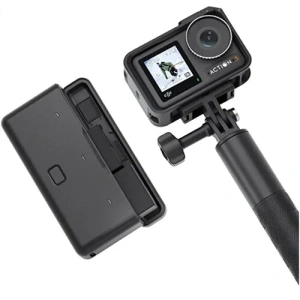
- DJI Osmo Action 5 Pro Adventure Combo - KSh 55,000.00
- DJI Osmo Mobile 8 - KSh 27,000.00
- DJI Osmo Nano Standard Combo (128GB) - KSh 57,000.00
- DJI Osmo 360 Adventure Combo - KSh 77,000.00
Related products