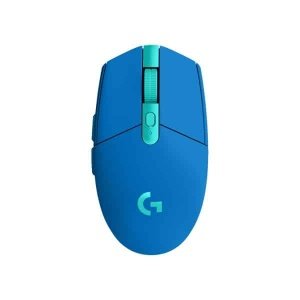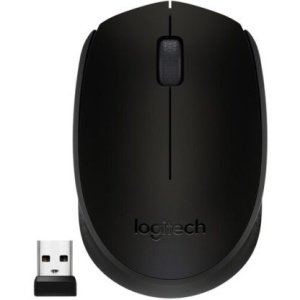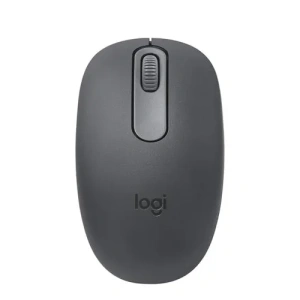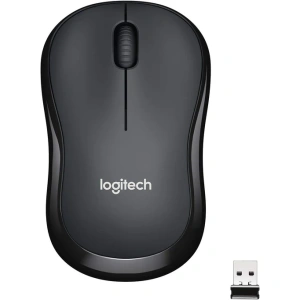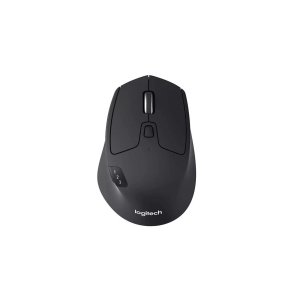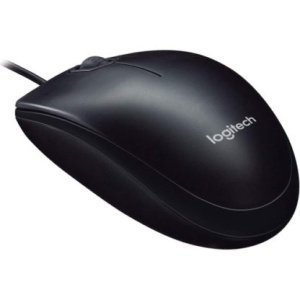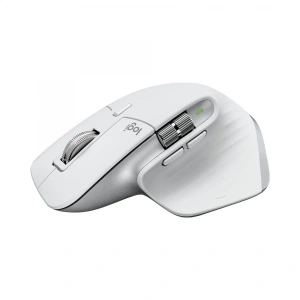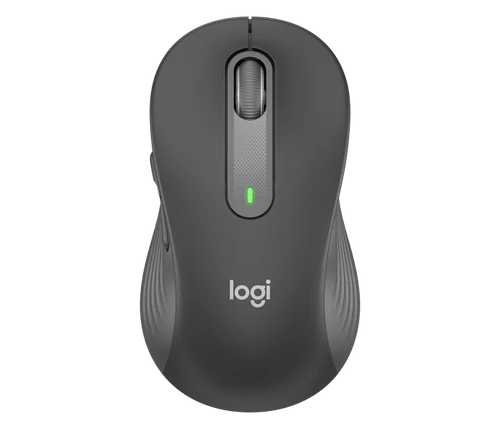
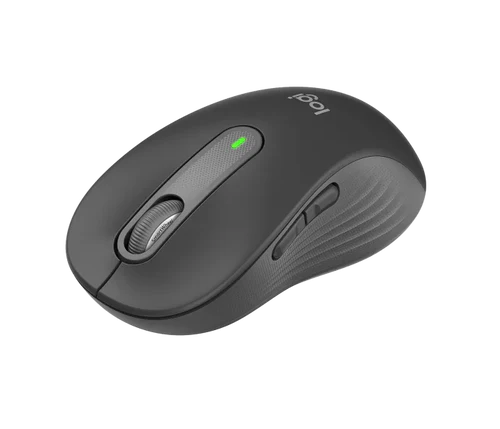
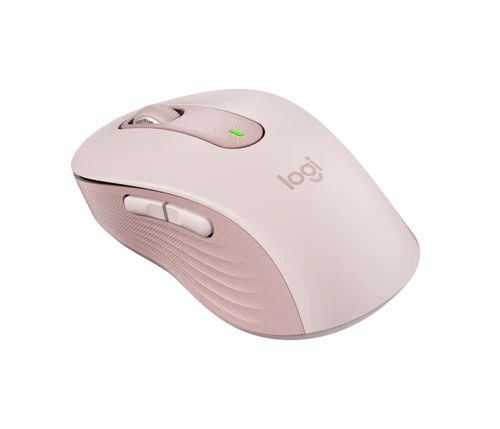
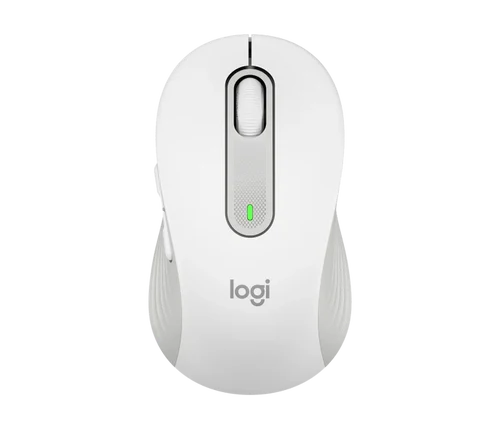
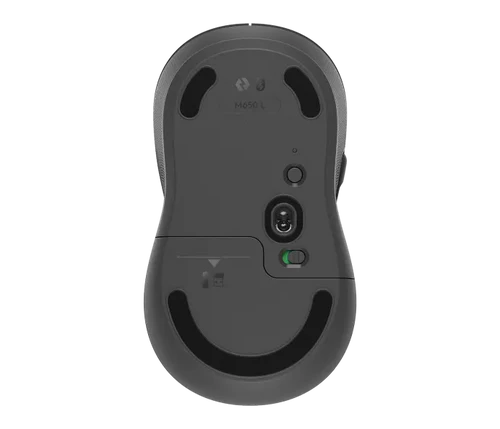
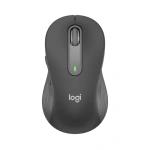
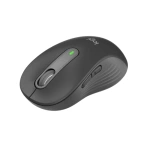
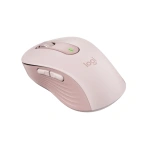
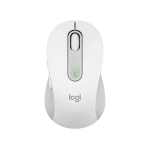
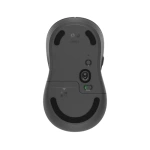
Logitech M650 Wireless Mouse | Multi-Device, SilentTouch | Kenya
KSh 6,500.00
Key Features
- Multi-Device Connectivity: Connect via Bluetooth® Low Energy or the Logi Bolt USB receiver for flexible wireless use.
- SilentTouch Technology: Enjoy ultra-quiet clicks—perfect for shared workspaces, meetings, or late-night use.
- 2-Year Battery Life: Long-lasting battery performance with a single AA battery (included).
- SmartWheel Scrolling: Precision scrolling for documents and smooth speed scrolling for long pages.
- Comfort-Focused Design: Contoured shape with soft side grips ensures all-day comfort—available in right- and left-hand versions.
- High-Precision Optical Tracking: Smooth, responsive cursor control on most surfaces.
- Multi-OS Compatibility: Works with Windows®, macOS®, Chrome OS™, Linux®, iPadOS®, and Android™.
- Plug-and-Play Setup: No software needed—just connect and start working.
- Sleek & Modern Aesthetic: Stylish design that fits home, office, or hybrid work environments.
- Perfect for Work or School: Ideal for professionals, students, and everyday users seeking performance and comfort.
Introduction
If you’re looking for a reliable and efficient mouse that enhances your productivity, the Logitech M650 Mouse kenya is a fantastic choice. With its ergonomic design and advanced features, this mouse is tailored for both casual users and professionals alike. In today’s digital age, having the right tools can significantly impact your workflow and overall experience, making it essential to choose wisely when selecting peripherals like a mouse.
This guide aims to provide you with comprehensive insights into the Logitech M650 Mouse kenya, covering everything from its key features to how it stacks up against competitors. Whether you’re a student, a remote worker, or a gaming enthusiast, understanding the specifications and benefits of this mouse will help you make an informed decision. With a competitive price of KSh 6,500, it’s crucial to evaluate whether this investment aligns with your needs and expectations.
As we move into 2025, the demand for quality peripherals in Kenya continues to grow, driven by a surge in remote work and digital learning. The Logitech M650 Mouse not only meets these demands but also incorporates the latest technology to ensure you stay ahead in your tasks. This guide will explore the nuances of this product, providing you with the insights needed to decide if it’s the right mouse for you.
What is Logitech M650 Mouse?
The Logitech M650 Mouse is a wireless mouse designed to offer comfort and efficiency during extended use. It features a modern design that fits snugly in your hand, making it ideal for long hours of work or play. As part of Logitech’s extensive range of computer accessories, the M650 combines functionality with style, catering to a variety of users, from office workers to gamers.
In the Kenyan market, where the demand for quality tech accessories is on the rise, the Logitech M650 Mouse kenya stands out due to its affordability and high performance. It operates on a 2.4 GHz wireless connection, ensuring a stable and lag-free experience. This mouse is equipped with advanced optical tracking technology that provides precise cursor control on various surfaces, including desks and even fabric. With its impressive battery life and user-friendly features, the M650 is designed to meet the needs of modern consumers.
One of the standout features of the Logitech M650 is its ability to seamlessly connect to multiple devices. This is particularly useful for professionals who switch between a laptop and a desktop or for students who might use different devices throughout the day. The mouse supports both USB receiver and Bluetooth connectivity, giving users flexibility and convenience.
Key Features and Benefits
The Logitech M650 Mouse is packed with features that enhance its usability and performance. Here’s a breakdown of its key features and the benefits they offer:
- Ergonomic Design: The M650 is sculpted to fit comfortably in your hand, reducing strain during prolonged use. This is particularly beneficial for users in Kenya who spend long hours on their computers for work or study. The design promotes a natural wrist position, which can help prevent repetitive strain injuries.
- Advanced Optical Tracking: With a high-precision sensor, the M650 provides smooth tracking on various surfaces. Whether you’re using it on a wooden desk or a fabric mouse pad, you can expect accurate cursor movement. This feature is especially useful in environments where surface conditions may vary, such as co-working spaces or home offices.
- Long Battery Life: The mouse boasts an impressive battery life of up to 24 months on a single AA battery. This means less time spent on battery replacements and more time focusing on your tasks. For users in Kenya, where power supply can be inconsistent, this feature is particularly advantageous.
- Customizable Buttons: The M650 features programmable buttons that allow you to customize functions according to your preferences. This is especially useful for gamers and professionals who require quick access to specific commands. The Logitech Options software enables users to tailor button functions to their workflow, enhancing productivity.
- Quiet Clicks: This mouse is designed to minimize noise during clicks, making it ideal for quiet environments such as libraries or shared offices. The silent operation helps maintain focus and reduces distractions for both the user and those around them.
- Easy Connectivity: The wireless USB receiver ensures a hassle-free connection to your computer. Simply plug it in, and you’re ready to go. Additionally, the Bluetooth capability allows for easy pairing with other devices, making it a versatile option for users with multiple gadgets.
These features make the Logitech M650 Mouse kenya not only a practical choice but also a smart investment for anyone looking to enhance their computing experience. As we delve deeper into this guide, we will explore how these features translate into real-world benefits and user satisfaction.
Models and Variants
The Logitech M650 Mouse comes in various models and color options, allowing users to choose one that best fits their style and preferences. Here are some of the notable variants:
- Logitech M650 Standard: This is the base model that offers all the essential features of the M650, making it a great choice for general use.
- Logitech M650 L: A larger version designed for users with bigger hands, ensuring comfort without sacrificing functionality. This model is perfect for those who find standard mice too small or uncomfortable.
- Logitech M650 S: This model is tailored for smaller hands, providing an ergonomic fit for users who prefer a more compact design. It’s a great option for students or anyone with petite hands.
- Color Variants: The M650 is available in multiple colors, including classic black, vibrant blue, and sleek white. This variety allows users to express their personal style, which is an important aspect for many consumers today.
When selecting a model, consider your hand size and color preferences, as these factors can significantly influence your overall satisfaction with the Logitech M650 Mouse kenya. Additionally, the choice of color may also reflect your personality or align with your workspace aesthetics.
How to Choose the Right One
Selecting the right mouse can greatly enhance your computing experience. Here are some key criteria to consider when choosing the Logitech M650 Mouse kenya:
- Hand Size: Ergonomics is crucial. If you have larger hands, opt for the M650 L model, while smaller hands may benefit from the M650 S variant. A well-fitted mouse can significantly reduce discomfort during long usage sessions.
- Usage Scenario: Consider how you plan to use the mouse. For gaming or graphic design, you may prefer the customizable buttons and high precision of the M650. For general office tasks, the standard model will suffice. Understanding your primary use case will help narrow down your options.
- Battery Life: If you often forget to replace batteries, the long battery life of the M650 is a significant advantage. Choose this model if you want minimal maintenance. In Kenya, where power supply can be a concern, a long-lasting battery is a practical feature.
- Noise Level: If you work in a shared space or prefer a quieter environment, the quiet clicks of the M650 will enhance your experience. This feature is particularly beneficial for students studying in libraries or professionals in open office settings.
- Connectivity: Ensure that your computer is compatible with the USB receiver. The M650 is designed for easy plug-and-play functionality, making it user-friendly. Additionally, consider whether you need Bluetooth connectivity for use with tablets or smartphones.
By considering these factors, you can confidently choose the right variant of the Logitech M650 Mouse kenya that suits your specific needs. Furthermore, taking the time to evaluate your preferences will lead to a more satisfying and efficient computing experience.
Pros and Cons
Like any product, the Logitech M650 Mouse has its strengths and weaknesses. Here’s a balanced assessment:
Pros:
- Comfortable Ergonomics: The design is well-suited for extended use, reducing hand fatigue. This is particularly important for users who spend hours working on their computers.
- Excellent Battery Life: The two-year battery life minimizes the need for frequent replacements, providing peace of mind for users who may not regularly check their battery status.
- Quiet Operation: Ideal for quiet environments, making it suitable for libraries and shared workspaces. This feature allows users to maintain concentration without disturbing others.
- Customizable Features: The ability to program buttons enhances productivity for various tasks, allowing users to streamline their workflows and perform actions more efficiently.
- Reliable Connectivity: The wireless connection is stable and effective, reducing clutter on your desk. This is especially beneficial for users in Kenya who value a neat and organized workspace.
Cons:
- Size Variants: While the M650 offers different sizes, some users may still find the options limited. Users with extremely large or small hands might struggle to find a comfortable fit.
- Not Ideal for Gaming: While it performs well for everyday tasks, serious gamers might prefer a mouse designed specifically for gaming, with features like adjustable DPI settings and faster response times.
- Price Point: At KSh 6,500, it may be slightly higher than some budget options available in the market. However, the features and quality may justify the investment for many users.
Understanding these pros and cons will help you weigh the potential benefits against any drawbacks associated with the Logitech M650 Mouse kenya. Being aware of these factors can guide your purchasing decision and ensure you choose a product that meets your needs.
vs Top Competitors
When considering the Logitech M650 Mouse, it’s essential to compare it with other popular options in the market. Here’s how it stacks up against some of its top competitors:
- Logitech M330 Silent Plus: This mouse is also designed for quiet operation but lacks the customizable buttons and ergonomic design of the M650. It is generally cheaper but does not offer the same level of comfort for long usage. The M330 is suitable for users looking for a basic, silent mouse without the need for advanced features.
- Microsoft Bluetooth Ergonomic Mouse: This model provides excellent ergonomics and Bluetooth connectivity, but it comes at a higher price point and may not be as user-friendly for those who prefer a USB receiver. It targets users who prioritize ergonomics and wireless freedom but may not be the best option for those on a budget.
- HP Wireless Mouse X3000: A budget-friendly option, but it lacks the precision and battery life of the M650. It’s a good choice for casual users but may not meet the needs of professionals. The X3000 is more suited for users who engage in light computing tasks and do not require advanced features.
- Razer Basilisk X Hyperspeed: A gaming mouse that offers high DPI settings and customizable features, but it comes at a significantly higher price. This mouse is ideal for gamers looking for performance, but it may be overkill for casual users who primarily use their mouse for office tasks.
Overall, the Logitech M650 Mouse kenya offers a balanced blend of comfort, functionality, and value, making it a strong contender in its category. When evaluating your options, consider your primary use case and whether the features of the M650 align with your needs compared to these alternatives.
Tips for Maximum Value
To get the most out of your Logitech M650 Mouse, consider the following tips:
- Regular Maintenance: Keep the mouse clean and free from dust to ensure optimal performance. A clean mouse can also prevent tracking issues and prolong its lifespan.
- Optimize Settings: Use the Logitech software to customize button functions and adjust sensitivity settings according to your preferences. This can enhance your productivity and make your workflow more efficient.
- Battery Management: Use high-quality batteries to maximize battery life and performance. Additionally, consider turning off the mouse when not in use to conserve battery life.
- Consider a Mouse Pad: Using a mouse pad can improve tracking accuracy and prolong the lifespan of your mouse. A good mouse pad can also provide a comfortable surface for your wrist.
- Stay Updated: Check for firmware updates from Logitech to ensure your mouse is running the latest software for improved performance. Keeping your device updated can enhance functionality and compatibility.
- Utilize Ergonomic Practices: Pay attention to your posture while using the mouse. Ensure your wrist is straight and your hand is relaxed to prevent strain. Regular breaks can also help reduce fatigue.
Implementing these tips will help you maximize the value of your Logitech M650 Mouse kenya and enhance your overall computing experience. By taking care of your mouse and optimizing its settings, you can ensure it serves you well for years to come.
Frequently Asked Questions
1. Is the Logitech M650 Mouse compatible with all computers?
Yes, the Logitech M650 Mouse is compatible with most computers that have a USB port. It works with both Windows and macOS operating systems, making it versatile for various users. Additionally, it can connect via Bluetooth, allowing it to work with tablets and other devices that support Bluetooth connectivity.
2. How do I connect the Logitech M650 Mouse to my computer?
To connect the Logitech M650 Mouse kenya, simply plug the USB receiver into an available USB port on your computer. The mouse should automatically connect, and you can start using it right away. If you prefer Bluetooth, ensure your device’s Bluetooth is turned on, then follow the pairing instructions provided in the manual.
3. Can I use the Logitech M650 Mouse with a laptop?
Absolutely! The Logitech M650 Mouse is perfect for laptops due to its portability and wireless functionality. It allows for a clutter-free workspace and enhances usability compared to a laptop’s built-in trackpad. This is particularly beneficial for students and professionals who are often on the go.
4. How long does the battery last?
The battery life of the Logitech M650 Mouse can last up to 24 months, depending on usage. This long lifespan is one of the key benefits of this mouse, reducing the need for frequent battery changes. Users in Kenya will appreciate the reliability of this feature, especially in areas where power supply can be inconsistent.
5. Is the mouse suitable for gaming?
While the Logitech M650 Mouse kenya offers good performance for casual gaming, it may not be the best choice for serious gamers who require high DPI settings and rapid response times. For gaming, consider a mouse specifically designed for that purpose, as they typically offer features tailored to enhance gaming performance.
6. What is the warranty period for the Logitech M650 Mouse?
The Logitech M650 Mouse typically comes with a limited warranty of 1 to 3 years, depending on the region and retailer. Be sure to check with your seller for specific warranty details. This warranty provides peace of mind, ensuring you are covered in case of any manufacturing defects.
7. Can I customize the buttons on the Logitech M650 Mouse?
Yes, the Logitech M650 Mouse features customizable buttons that can be programmed using Logitech’s software. This allows you to tailor the mouse to your specific workflow and preferences. Customization can significantly enhance your efficiency, especially for repetitive tasks.
8. How do I clean my Logitech M650 Mouse?
To clean your Logitech M650 Mouse, use a soft, lint-free cloth slightly dampened with water or a mild cleaning solution. Avoid using harsh chemicals that could damage the surface. Regularly cleaning your mouse can help maintain its performance and appearance.
9. What should I do if my mouse is not responding?
If your Logitech M650 Mouse is not responding, try the following troubleshooting steps:
- Check the battery and replace it if necessary.
- Ensure the USB receiver is properly connected to the computer.
- Restart your computer to reset the connection.
- Try connecting the mouse to a different USB port or device to see if the issue persists.
- Update the mouse drivers using Logitech’s software.
If the problem continues, consider contacting Logitech customer support for further assistance.
Final Verdict
In conclusion, the Logitech M650 Mouse kenya is an excellent choice for anyone seeking a reliable, comfortable, and feature-rich mouse. With its ergonomic design, long battery life, and customizable options, it meets the needs of a wide range of users, from students to professionals. At a price of KSh 6,500, it offers great value for those looking to enhance their computing experience.
If you’re ready to elevate your productivity and comfort, consider purchasing the Logitech M650 Mouse today. Your hands will thank you! With its combination of functionality, style, and user-friendly features, the M650 is not just a mouse; it’s an investment in your digital productivity.
Alternative Products
- Logitech M196 Wireless White Mouse | Compact, Plug & Play | Kenya - KSh 3,000.00
- Logitech M196 Wireless Black Mouse | Compact, Plug & Play | Kenya - KSh 3,000.00
- Logitech MX Master 3S Wireless Mouse | Ergonomic, 8K DPI, Multi-Device | Kenya - KSh 15,000.00
- Logitech M171 Wireless Mouse | 10m Range, Plug & Play | Kenya - KSh 2,000.00
- Logitech MX Master 3S Wireless Mouse | 8K DPI, Multi-Device | Kenya - KSh 17,500.00
Related products