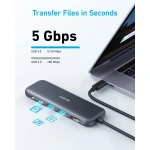
ANKER 332 USB-C HUB(5-IN-1)
KSh 7,000.00
Key Features
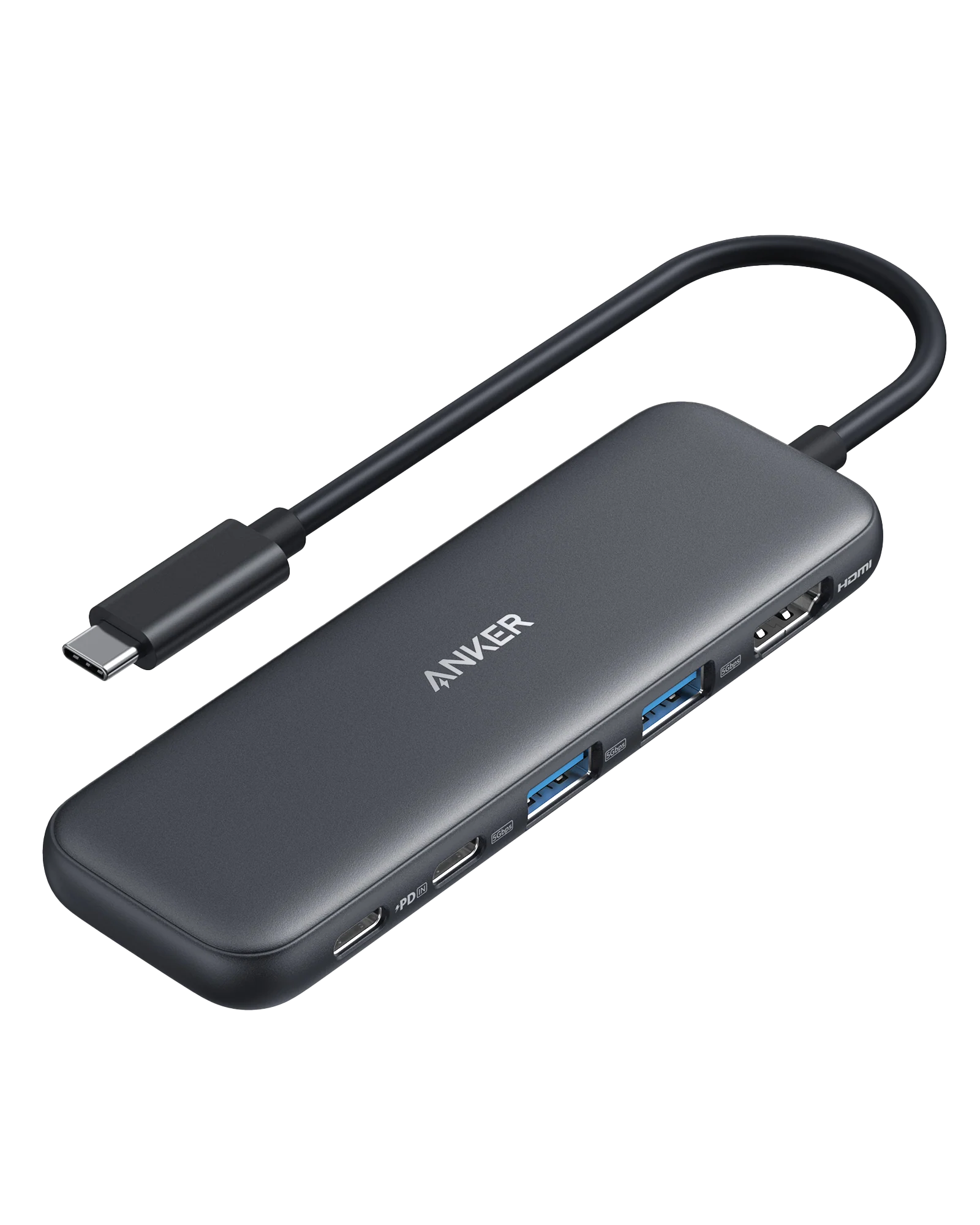
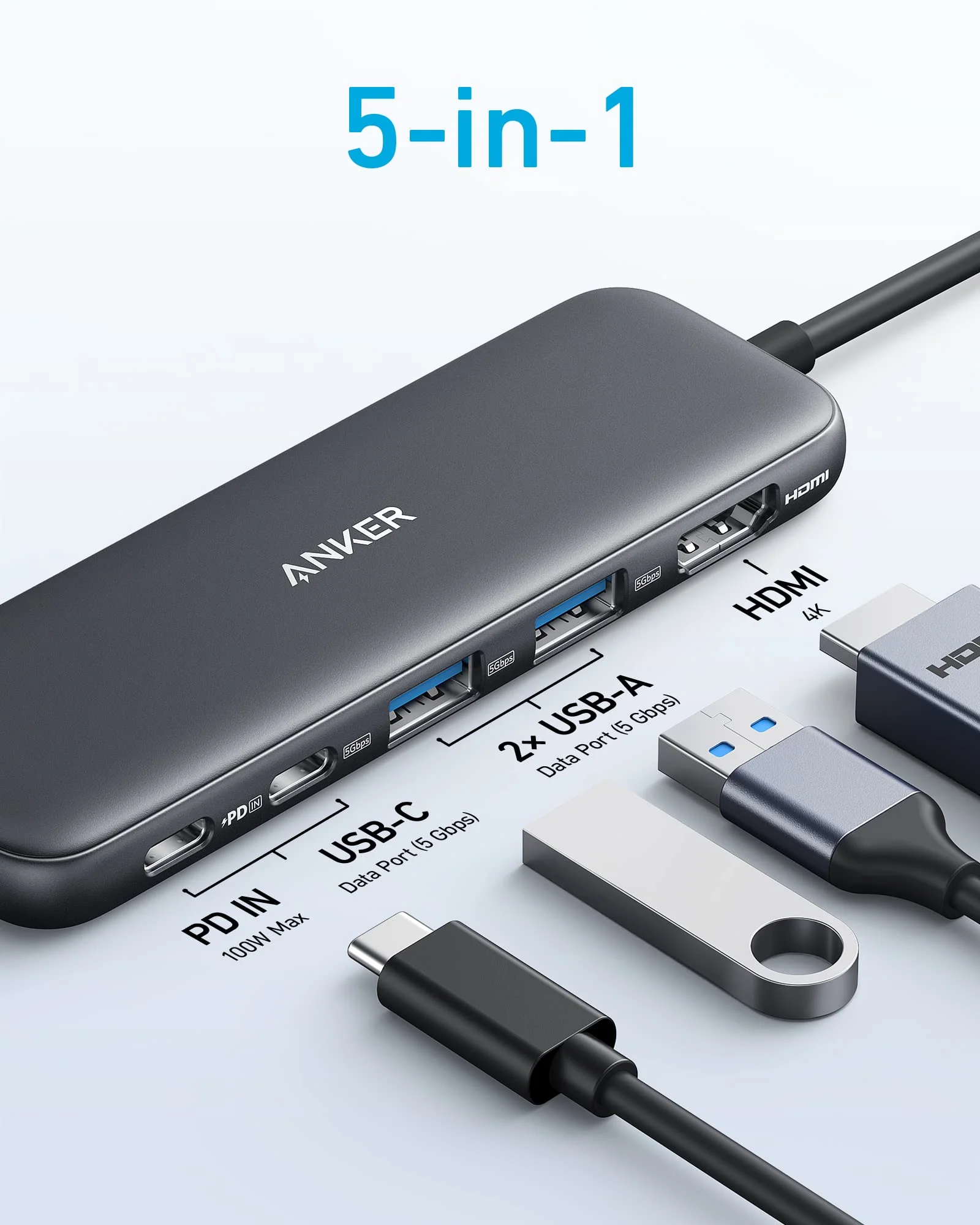
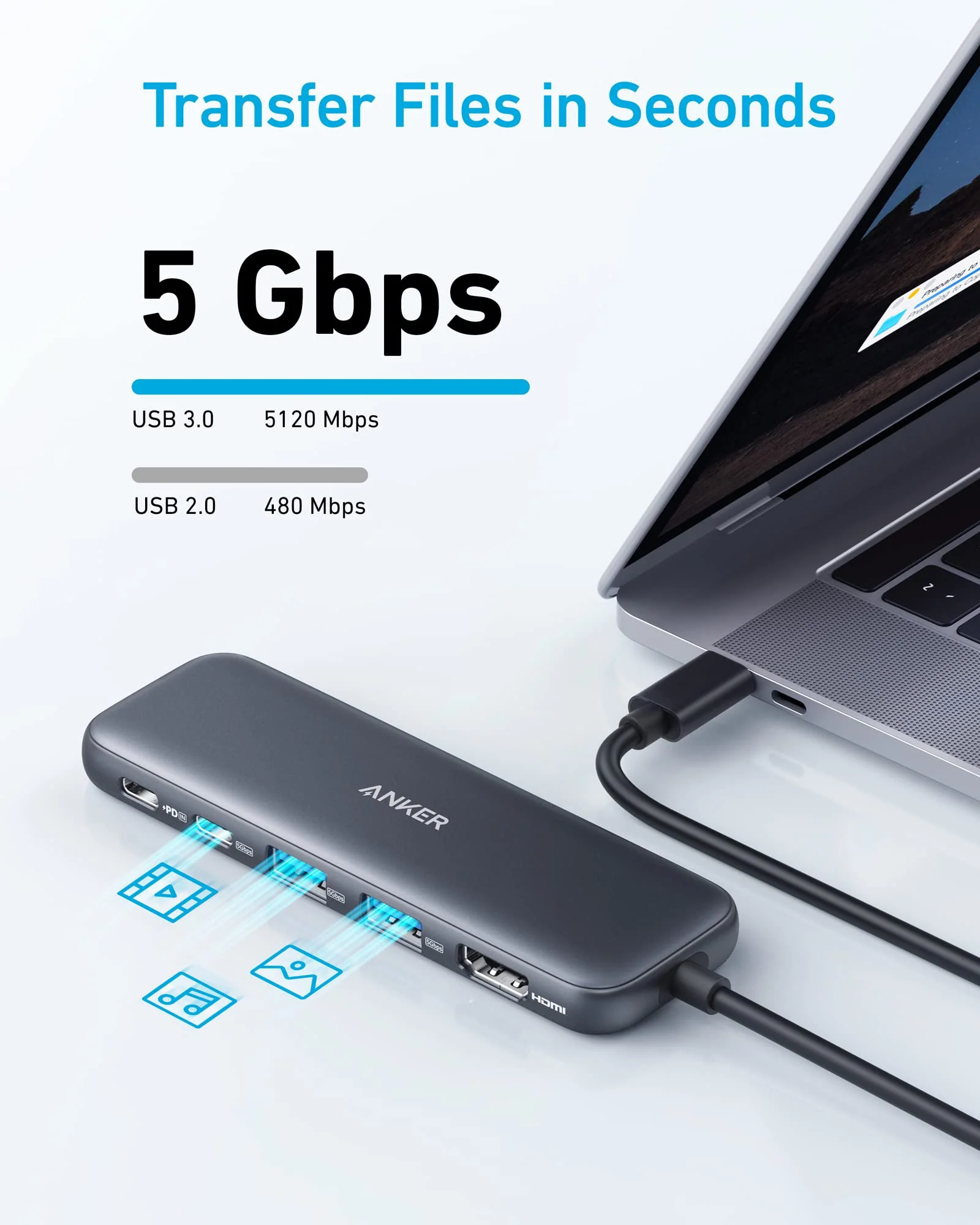
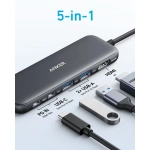
- 5-in-1 Connectivity: Equipped with a 4K HDMI port, a 5 Gbps USB-C data port, two 5 Gbps USB-A ports, and a 100W PD-IN port.
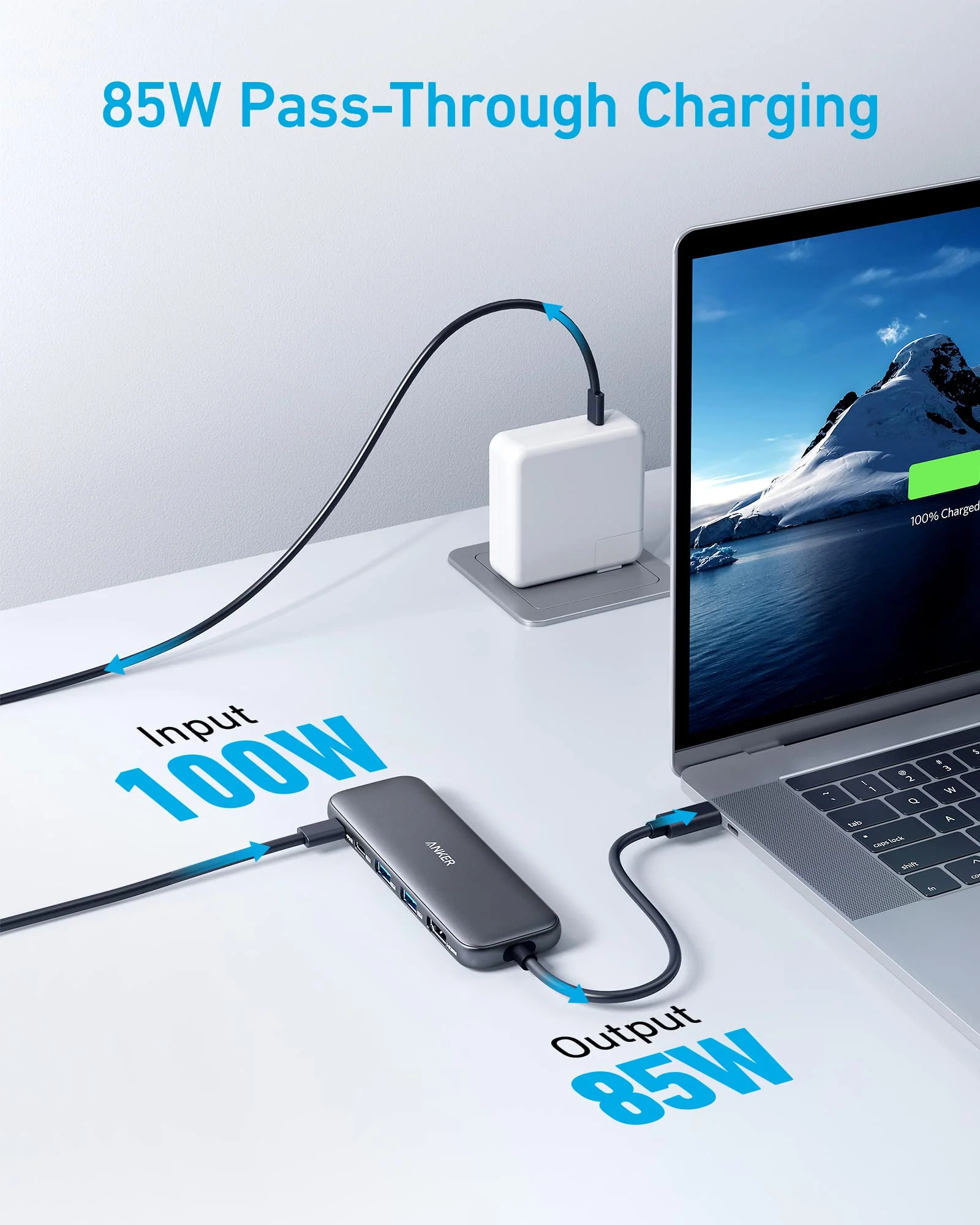
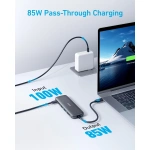
- Powerful Pass-Through Charging: Supports up to 85W pass-through charging so you can power up your laptop while you use the hub. Note: Pass-through charging requires a charger (not included). Note: To achieve full power for iPad, we recommend using a 45W wall charger.
- Transfer Files in Seconds: Move files to and from your laptop at speeds of up to 5 Gbps via the USB-C and USB-A data ports.
- HD Display: Connect to the HDMI port to stream or mirror content to an external monitor in resolutions of up to 4K@30Hz. Note: The USB-C ports do not support video output.
Introduction
The digital age demands versatility and efficiency in our gadgets, especially as more Kenyans embrace remote work and online learning. Enter the Anker 332 USB-C Hub kenya, a powerful tool that transforms a single USB-C port into multiple connectivity options. As technology continues to evolve, having the right accessories can significantly enhance productivity and user experience. This guide aims to provide you with everything you need to know about the Anker 332 USB-C Hub kenya, from its features to how it stacks up against competitors.
Understanding the right tech accessories is crucial for making informed purchasing decisions. With the rising demand for USB-C hubs in Kenya, this guide not only highlights why the Anker 332 USB-C Hub kenya is a top choice but also offers valuable insights into its practical applications, helping you maximize your investment.
What is Anker 332 USB-C Hub?
The Anker 332 USB-C Hub kenya is a premium 5-in-1 USB-C hub designed to expand the connectivity options for devices that feature USB-C ports. In a world where laptops and tablets are increasingly slimmed down, many lack the variety of ports that users need for their peripherals. The Anker 332 USB-C Hub addresses this gap by providing essential ports that allow for seamless connectivity to various devices.
Market-wise, the Anker 332 USB-C Hub kenya is positioned as a reliable solution for professionals, students, and tech enthusiasts alike. With a current price of KSh 7000, it offers a balance of quality and affordability. As USB-C technology becomes the standard for many devices, having a hub like this enables users to connect their laptops to monitors, projectors, and other peripherals without hassle.
Moreover, as more Kenyans adopt remote work practices and digital learning environments, the need for efficient connectivity solutions grows. The Anker 332 USB-C Hub not only provides essential ports but also enhances the overall user experience, making it an indispensable accessory for anyone looking to improve their gadget’s functionality.
Key Features and Benefits
Versatile Connectivity
The Anker 332 USB-C Hub kenya features five essential ports that cater to a wide range of connectivity needs:
- 2 USB-A 3.0 Ports: Perfect for connecting traditional USB devices like flash drives and external hard drives. This allows for easy data transfer and access to additional storage, which is particularly useful for professionals working with large files.
- 1 HDMI Port: Allows for 4K video output, making it ideal for presentations or streaming on larger displays. This feature is especially valuable in a Kenyan context where online meetings and virtual classrooms have become commonplace.
- 1 USB-C Power Delivery Port: Enables charging of your laptop while using the hub, ensuring you stay powered up. This is crucial for those who need to maintain productivity without worrying about battery life.
- 1 SD/MicroSD Card Reader: Convenient for photographers and videographers, allowing quick data transfer from cameras. This makes it easier for creatives in Kenya to manage their media files efficiently.
This variety makes it a versatile accessory for anyone needing to connect multiple devices simultaneously, whether you are a student attending online classes, a professional in a hybrid work environment, or a creative looking to transfer large media files.
High-Speed Data Transfer
The Anker 332 USB-C Hub kenya supports data transfer speeds of up to 5Gbps through its USB-A ports. This means you can transfer large files quickly, which is essential for professionals who work with high-resolution images or large documents. In a busy Kenyan work environment, saving time on data transfer can significantly enhance productivity. Whether you are uploading presentations for a meeting or backing up important files, the speed of the Anker hub ensures that you can work efficiently without delays.
Compact and Portable Design
Weighing just a few ounces, the Anker 332 USB-C Hub is designed for portability. Its compact size makes it easy to slip into a laptop bag or backpack, making it an excellent companion for remote workers or students who often move between locations. In Kenya, where many professionals and students may need to travel to different workspaces or study areas, this hub’s portability ensures that you can stay connected wherever you go.
Durable Build Quality
Constructed with high-quality materials, the Anker 332 USB-C Hub kenya is built to withstand daily wear and tear. In the Kenyan market, where durability is essential due to varying environmental conditions, this hub stands out as a reliable choice. The robust design not only protects against accidental drops but also ensures that the hub can handle the rigors of daily use, making it a long-term investment for users.
Models and Variants
The Anker 332 USB-C Hub kenya is available in a single model but can often be found in different color options to suit personal preferences. While this hub is a standalone product, Anker offers a range of other USB-C hubs and docking stations that cater to different needs:
- Anker 7-in-1 USB-C Hub: For users needing additional ports. This model is ideal for those who require even more connectivity options, such as additional USB ports or Ethernet connections.
- Anker USB-C Docking Station: Ideal for those wanting a more extensive setup with multiple display outputs. This is perfect for professionals who work with dual monitors or need to connect to various peripherals simultaneously.
Choosing the right model depends on your specific connectivity needs and workspace setup. Assessing your usage scenarios can help you determine whether the Anker 332 USB-C Hub meets your requirements or if a more advanced model is necessary.
How to Choose the Right One
When considering the Anker 332 USB-C Hub kenya, several factors should influence your decision:
1. Device Compatibility
Ensure that your laptop or tablet supports USB-C and is compatible with the hub. Most modern devices do, but it’s always good to double-check. Additionally, consider if your device supports data transfer and charging through USB-C, as this will affect how you can use the hub.
2. Port Requirements
Assess the types of devices you need to connect. If you frequently use USB-A devices, the dual USB-A ports will be beneficial. For those who need to connect to external displays, the HDMI port is essential. Understanding your peripheral needs will help you maximize the utility of the hub.
3. Data Transfer Speed
If you work with large files, the hub’s data transfer speed is crucial. The Anker 332 USB-C Hub offers 5Gbps, which is sufficient for most users. However, if you are in a field that requires rapid data transfer, such as video editing, you may want to consider alternatives that offer higher speeds.
4. Portability
If you travel often or work in different locations, consider the hub’s size and weight. The Anker 332 USB-C Hub kenya is compact and lightweight, making it ideal for on-the-go use. Look for features such as a carrying case or additional protective elements for added convenience during travel.
5. Price
At KSh 7000, the Anker 332 USB-C Hub offers good value for its features. Compare it with other models to ensure you are getting the best deal for your needs. Consider the overall quality, warranty, and customer support when evaluating the price against competitors.
Pros and Cons
Pros
- Versatile Connectivity: Offers multiple ports for various devices, making it suitable for a wide range of use cases.
- High-Speed Data Transfer: Efficient for transferring large files quickly, which is essential for professionals.
- Compact Design: Easy to carry, making it suitable for travel and remote work.
- Durable Construction: Built to last, even in demanding environments, ensuring longevity.
Cons
- Limited HDMI Output: Only supports a single HDMI connection, which may be limiting for users needing multiple displays.
- Price Point: While affordable, some may find it slightly higher compared to basic hubs, which may offer fewer features.
vs Top Competitors
When evaluating the Anker 332 USB-C Hub kenya, it’s essential to compare it with other popular options in the market:
- UGREEN USB-C Hub: Offers similar features but at a slightly lower price point. However, it may lack the robust build quality of Anker products. UGREEN is known for providing budget-friendly options, but users may sacrifice durability and support.
- HooToo USB-C Hub: Another competitor with 6-in-1 functionality but may not provide the same level of data transfer speed. HooToo hubs are often slightly more affordable, but their speed and reliability can vary, making Anker a more dependable choice for many users.
- Baseus USB-C Hub: This brand’s hubs often come with additional features like Ethernet ports and additional USB-C ports. While they can be slightly more expensive, they cater to users looking for extensive connectivity options.
While the Anker 332 USB-C Hub may be priced higher than some alternatives, its durability and reliability make it a worthwhile investment for many users. Anker’s reputation for quality and customer service further enhances its standing in the competitive landscape.
Tips for Maximum Value
To get the most out of your Anker 332 USB-C Hub kenya, consider the following tips:
- Regularly Update Drivers: Ensure that your laptop’s drivers are up to date for optimal compatibility. This can prevent issues related to connectivity and performance.
- Use Quality Cables: Invest in high-quality cables to maintain data transfer speeds and prevent connectivity issues. Poor-quality cables can lead to slower speeds and unreliable connections.
- Keep it Clean: Regularly clean the ports and connectors to prevent dust build-up that could affect performance. Use a soft, dry cloth to wipe down the hub and ensure that ports remain free of debris.
- Check for Firmware Updates: Anker occasionally releases firmware updates that can enhance performance and fix bugs. Keeping your hub updated can ensure that you benefit from the latest features and improvements.
- Utilize Power Delivery Wisely: When using the USB-C Power Delivery port, ensure that your power adapter is capable of delivering sufficient power to your laptop while also powering the hub. This will help maintain optimal performance during use.
Frequently Asked Questions
1. Is the Anker 332 USB-C Hub compatible with my laptop?
Yes, as long as your laptop has a USB-C port, it should be compatible with the Anker 332 USB-C Hub kenya. However, make sure that your device supports data transfer and charging through USB-C for the best experience.
2. Can I charge my laptop while using the hub?
Absolutely! The hub features a USB-C Power Delivery port that allows you to charge your laptop while using other ports simultaneously. This ensures that your device remains powered while you work.
3. What is the maximum resolution supported by the HDMI port?
The HDMI port on the Anker 332 USB-C Hub supports up to 4K resolution, making it ideal for high-definition displays. This is particularly useful for presentations, video editing, and streaming.
4. Does it come with a warranty?
Yes, Anker typically offers an 18-month warranty on their products, including the Anker 332 USB-C Hub kenya. This warranty provides peace of mind and assurance of quality.
5. Can I use this hub with my smartphone?
Yes, if your smartphone supports USB-C and OTG (On-The-Go) functionality, you can use the hub to connect various peripherals. This is useful for transferring files or connecting external storage devices.
6. What is the data transfer speed of the USB-A ports?
The USB-A ports on the Anker 332 USB-C Hub support data transfer speeds of up to 5Gbps, allowing for efficient file transfers and quick access to data.
7. How do I maintain the hub?
Keep the hub clean and avoid exposing it to extreme temperatures or moisture to ensure its longevity. Regular cleaning and careful handling can prevent damage and maintain performance.
8. Can I connect multiple devices at once?
Yes, the Anker 332 USB-C Hub allows you to connect multiple devices simultaneously, making it a versatile solution for users who need to work with various peripherals at the same time.
9. Is it compatible with MacBooks?
Yes, the Anker 332 USB-C Hub is compatible with MacBooks that have USB-C ports. It provides a seamless connection for additional devices, enhancing your MacBook’s functionality.
10. What should I do if the hub is not recognized by my device?
If the hub is not recognized, try the following troubleshooting steps:
- Ensure that the hub is securely connected to the USB-C port.
- Check if your device’s USB-C port is functioning properly.
- Try using a different USB-C cable to connect the hub.
- Restart your device to reset the connection.
- Update your device’s drivers and firmware if necessary.
Final Verdict
The Anker 332 USB-C Hub kenya stands out as a versatile and reliable accessory for anyone looking to expand their device’s connectivity options. With its robust build, high-speed data transfer capabilities, and compact design, it is an excellent investment for professionals, students, and tech enthusiasts alike.
At KSh 7000, it offers great value for its features and durability. If you’re in the market for a USB-C hub that meets your everyday needs, the Anker 332 USB-C Hub is highly recommended. Don’t miss out on enhancing your productivity—make your purchase today!
Alternative Products
- EUFY SMART SCALE P2 PRO BLACK - KSh 7,000.00
- EUFY MOTION SENSOR WHITE - KSh 5,000.00
- EUFY HOMEVAC H11 PURE BLUE - KSh 10,600.00
- EUFY SECURITY ALARM 5 PIECE KITS WHITE - KSh 25,600.00
- EUFY HOMEVAC S11 LITE - KSh 27,000.00
Related products