
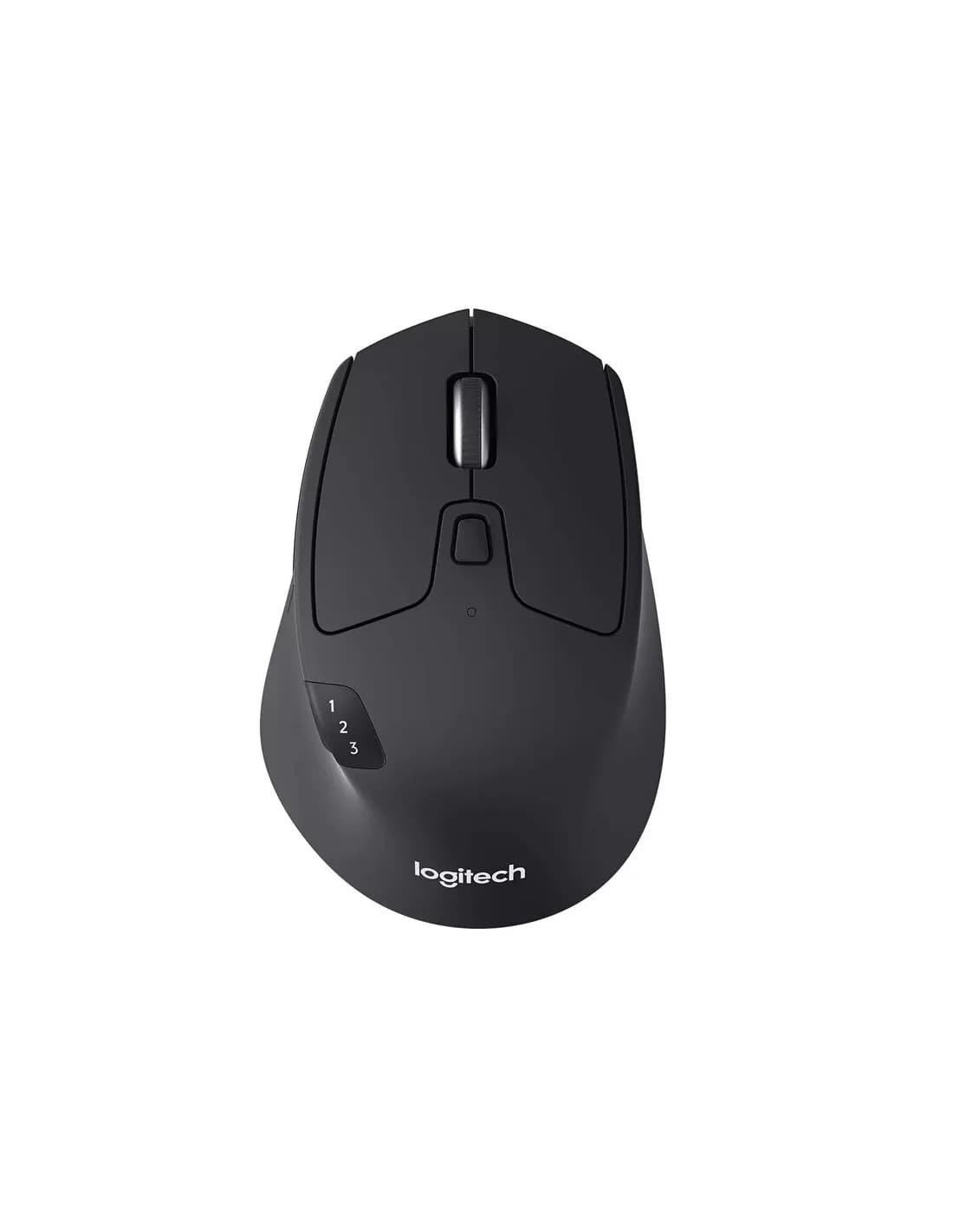
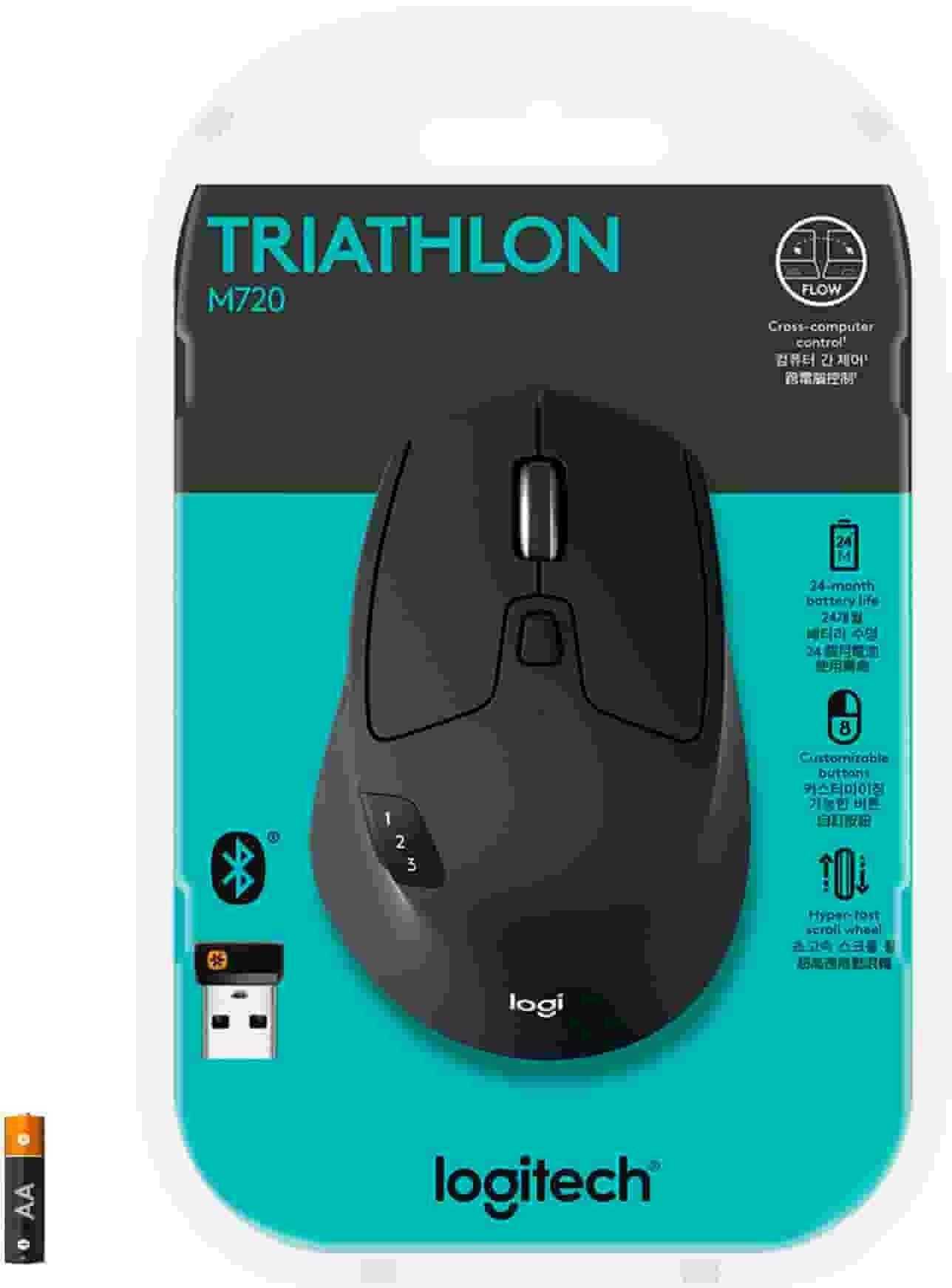

Logitech M720 Wireless Mouse | Hyper-Fast Scrolling, Multi-Device | Kenya
KSh7,500
Key Features
- Hyper-Fast Scrolling: Fly through long documents and web pages with a simple spin of the mouse wheel with the additional instant-stop feature and an option to switch to click-to-click scrolling
- Comfortable Grip: Crafted for the right hand, this full-sized wireless PC mouse features a rubber body and a sculpted design for palm rest grip and comfort like never before
- Dual Connectivity: Connect the cordless mouse via Bluetooth or the wireless Logitech Unifying receiver, which lets you connect up to 6 compatible Logitech peripherals with only 1 USB receiver
- Multi-Device Wireless Mouse: Easily switch between up to 3 computers or laptops with the touch of a button
- Long-lasting and Versatile: Designed for endurance with 24-month battery life , M720 is compatible with computers, laptops and tablets, Windows, macOS, Chrome OS, Linux, and iPadOS.
Introduction
The digital age demands efficiency and precision, especially when it comes to productivity tools. For many, a quality mouse is not just an accessory but a vital part of their daily computing experience. Enter the Logitech M720 Mouse, a premium device designed to enhance your workflow, whether you’re working from home, in the office, or on the go. This guide will provide you with all the essential information you need to make an informed purchase decision regarding the Logitech M720 Mouse.
In this comprehensive buying guide, we will explore the features, benefits, and various models of the Logitech M720 Mouse. We will also discuss how to choose the right mouse for your specific needs, weigh the pros and cons, and compare it to other leading competitors in the market. With a price tag of KSh 7500, understanding what you’re getting for your money is crucial, especially in the competitive Kenyan market. This guide is designed to help you navigate your options and find the perfect fit for your lifestyle and budget.
What is Logitech M720 Mouse?
The Logitech M720 Mouse is a versatile, multi-device wireless mouse that caters to the needs of professionals, gamers, and everyday users alike. Launched by Logitech, a brand renowned for its quality peripherals, the M720 is engineered to provide seamless connectivity and exceptional durability. It is designed for users who value efficiency and adaptability, allowing them to switch between multiple devices effortlessly.
In today’s fast-paced environment, the ability to multitask is crucial. The Logitech M720 Mouse features a unique Easy-Switch technology, enabling users to connect and switch between three devices with just a press of a button. This feature is particularly beneficial for those who work across different platforms, such as laptops, tablets, and desktops. The mouse is also equipped with a long-lasting battery, ensuring that you can work without interruptions.
With its ergonomic design, the Logitech M720 Mouse fits comfortably in your hand, reducing strain during extended use. This makes it an ideal choice for professionals who spend long hours at their desks. The mouse is also compatible with various operating systems, including Windows, macOS, and Linux, making it a flexible option for diverse users. In a market where quality and functionality are paramount, the Logitech M720 Mouse stands out as a reliable choice for Kenyan consumers.
Key Features and Benefits
The Logitech M720 Mouse is packed with features that enhance its usability and performance. Below are some of its key features and the benefits they offer:
- Easy-Switch Technology: This feature allows you to connect the mouse to up to three devices and switch between them effortlessly. Whether you’re working on a laptop, tablet, or desktop, you can control all three with a simple button press, enhancing your productivity.
- Long Battery Life: The Logitech M720 Mouse boasts a battery life of up to 24 months on a single AA battery. This means less frequent battery changes, allowing you to focus on your work without interruptions. This is particularly advantageous in Kenya, where access to replacement batteries may not always be convenient.
- Ergonomic Design: Designed for comfort, the mouse fits naturally in your hand, reducing fatigue during long usage periods. Its shape is optimized for right-handed users, ensuring that you can work efficiently without discomfort, making it suitable for professionals and students alike.
- Customizable Buttons: The mouse comes with programmable buttons that can be customized to suit your workflow. You can assign specific functions to each button, making tasks quicker and easier, which is particularly useful for professionals who rely on shortcuts.
- Precision Tracking: Equipped with a high-precision sensor, the Logitech M720 Mouse offers smooth tracking on various surfaces, including glass. This is especially beneficial for users who work in different environments, ensuring consistent performance regardless of the surface.
- Multi-OS Compatibility: The mouse is compatible with multiple operating systems, including Windows, macOS, and Linux. This versatility makes it an ideal choice for users who operate on different platforms, particularly in the diverse tech environment of Kenya.
- Logitech Options Software: This software allows you to customize your mouse settings, including button functions and tracking speed. It enhances your overall experience and ensures that the mouse works according to your preferences, making it adaptable to various user needs.
In summary, the Logitech M720 Mouse combines advanced technology with user-friendly features, making it a top choice for anyone looking to enhance their computing experience. Whether you’re a professional, student, or casual user, the benefits of this mouse can significantly improve your productivity and comfort.
Models and Variants
The Logitech M720 Mouse is available in several models and variants, each catering to different user preferences and needs. Here are the notable options:
- Logitech M720 Triathlon: This is the primary model, featuring all the essential functions, including Easy-Switch technology and customizable buttons. It is designed for users who need versatility and efficiency.
- Logitech M330 Silent Plus: While not a direct variant of the M720, this model is worth mentioning for those who prioritize quiet operation. It features silent clicks, making it ideal for quiet environments like libraries or shared offices, which are common in urban Kenyan settings.
- Logitech M510: This is an older model but still popular due to its affordability. It lacks some advanced features of the M720 but is a solid choice for users looking for a reliable mouse without the frills.
- Logitech MX Anywhere 3: Another premium option, this mouse is designed for users who are frequently on the move. It offers advanced tracking capabilities and is compact, making it suitable for travelers and remote workers, particularly in the Kenyan market where portability is key.
Each of these models has its unique selling points, but the Logitech M720 Mouse remains the most feature-rich option, especially for users who need to switch between devices frequently. When making your decision, consider what features are most important for your specific use case.
How to Choose the Right One
Choosing the right mouse can significantly impact your productivity and comfort. Here are some factors to consider when selecting the Logitech M720 Mouse or any other model:
- Usage Scenario: Consider how you plan to use the mouse. If you frequently switch between devices, the Easy-Switch technology of the M720 is invaluable. For gamers, a mouse with customizable buttons may be more critical.
- Ergonomics: If you spend long hours on your computer, an ergonomic design is essential. The M720 is designed to fit comfortably in your hand, reducing strain and enhancing comfort during extended use.
- Battery Life: Look for a mouse with a long battery life, especially if you dislike frequent battery changes. The M720’s up to 24-month battery life is a significant advantage, particularly in Kenya where battery availability can be a concern.
- Compatibility: Ensure that the mouse is compatible with your operating system. The M720 works with Windows, macOS, and Linux, making it a versatile choice for many users.
- Budget: With a price of KSh 7500, the Logitech M720 Mouse is positioned as a premium product. Assess your budget and determine if the features justify the investment for your needs.
- Personal Preference: Some users may prefer a wired mouse for reliability, while others may opt for wireless for convenience. Evaluate your preferences and choose accordingly.
- Local Availability: Check local retailers and online stores for availability and pricing. In Kenya, purchasing from trusted local vendors can ensure you receive genuine products and good customer service.
Ultimately, the right mouse for you will depend on your specific needs and preferences. The Logitech M720 Mouse offers a robust set of features that cater to a wide range of users, making it a strong contender for anyone looking to enhance their computing experience.
Pros and Cons
Like any product, the Logitech M720 Mouse has its advantages and disadvantages. Here’s a balanced assessment:
Pros:
- Multi-device Connectivity: The ability to connect to three devices and switch between them seamlessly is a game-changer for multitaskers.
- Long Battery Life: With up to 24 months of battery life, you can work without worrying about frequent changes.
- Comfortable Ergonomics: The design is comfortable for extended use, reducing hand fatigue, which is particularly beneficial for users in Kenya who may work long hours.
- Customizable Features: Programmable buttons allow for personalization, enhancing productivity.
- High-precision Tracking: Smooth tracking on various surfaces ensures a consistent experience, making it suitable for different working environments.
Cons:
- Price Point: At KSh 7500, it may be considered pricey for some users, especially those on a tight budget.
- Limited Features for Gamers: While it’s an excellent productivity mouse, it may lack some features desired by hardcore gamers, such as customizable DPI settings and rapid response times.
- Right-hand Design: The ergonomic design is primarily for right-handed users, which may not suit left-handed individuals, limiting its appeal.
In summary, the Logitech M720 Mouse offers a range of features that make it a valuable tool for many users. However, it may not be the best fit for everyone, particularly those with specific gaming needs or budget constraints.
vs Top Competitors
When considering the Logitech M720 Mouse, it’s essential to compare it with similar products in the market. Here are some top competitors:
- Logitech MX Master 3: This is a premium mouse with advanced features like a MagSpeed scroll wheel and customizable gestures. While it is more expensive (around KSh 12,000), it offers superior performance for power users, making it a great choice for those who demand more from their peripherals.
- Microsoft Surface Mouse: Priced similarly to the M720, this mouse offers a sleek design and good performance. However, it lacks the multi-device connectivity that the M720 provides, which may be a dealbreaker for users who value that feature.
- Razer Basilisk X Hyperspeed: A gaming mouse that offers Bluetooth and wireless connectivity. While it is designed for gaming, its price point (around KSh 8,000) may be higher for non-gamers. Gamers may appreciate the customizable DPI settings and gaming features, but casual users may find it excessive.
- HP Wireless Mouse X4000: This budget-friendly option is priced around KSh 3,000 and offers basic functionality. While it lacks advanced features, it is a solid choice for users looking for a reliable, no-frills mouse.
When comparing these options, consider your specific needs. If you prioritize multi-device functionality and comfort, the Logitech M720 Mouse is hard to beat. However, if you are looking for a gaming-centric experience or additional features, exploring other options may be worthwhile.
Tips for Maximum Value
To get the most out of your Logitech M720 Mouse, consider the following tips:
- Customize Settings: Use the Logitech Options software to customize button functions and tracking speed according to your workflow. This can significantly enhance your productivity and tailor the mouse to your specific tasks.
- Regularly Update Drivers: Keeping your mouse drivers updated ensures optimal performance and access to the latest features. This is particularly important in a rapidly evolving tech landscape.
- Invest in a Quality Mouse Pad: A good mouse pad can improve tracking accuracy and prolong the life of your mouse. Consider a mouse pad that complements the M720’s precision tracking capabilities.
- Practice Ergonomics: Ensure your workspace is set up ergonomically to complement the comfort of the M720. Adjust your chair and desk height to reduce strain, which is crucial for those spending long hours on their computers.
- Battery Management: To maximize battery life, turn off the mouse when not in use, or consider using rechargeable batteries for sustainability. This is not only eco-friendly but also cost-effective in the long run.
- Explore Additional Accessories: Consider pairing the M720 with other Logitech accessories, such as a keyboard or a webcam, to create a cohesive and efficient workspace.
By following these tips, you can ensure that your investment in the Logitech M720 Mouse pays off in terms of performance and longevity.
Frequently Asked Questions
1. Is the Logitech M720 Mouse suitable for gaming?
While the Logitech M720 Mouse is primarily designed for productivity, it can handle casual gaming. However, serious gamers may prefer a mouse specifically designed for gaming, such as those from the Logitech G series, which offer faster response times and customizable DPI settings for enhanced gaming performance.
2. Can the Logitech M720 Mouse connect to a smartphone or tablet?
Yes, the Logitech M720 Mouse can connect to devices that support Bluetooth or USB receivers. This means you can use it with compatible smartphones and tablets, enhancing your mobile productivity. This feature is particularly useful for professionals who need to work on the go.
3. How does the Easy-Switch technology work?
The Easy-Switch technology allows you to connect the Logitech M720 Mouse to three devices simultaneously. By pressing the Easy-Switch button, you can toggle between devices without having to disconnect and reconnect each time, making it an efficient tool for multitaskers.
4. What is the warranty period for the Logitech M720 Mouse?
The Logitech M720 Mouse typically comes with a two-year warranty, which covers defects in materials and workmanship, giving you peace of mind with your purchase. This warranty is a testament to Logitech’s commitment to quality and customer satisfaction.
5. How do I clean my Logitech M720 Mouse?
To clean your Logitech M720 Mouse, use a soft, damp cloth to wipe the exterior. For the sensor, use a cotton swab lightly moistened with alcohol to remove any dust or debris. Avoid using harsh chemicals that may damage the surface, ensuring the longevity of your device.
6. Can I use the Logitech M720 Mouse on any surface?
Yes, the Logitech M720 Mouse is designed to work on various surfaces, including wood, cloth, and even glass. However, using a mouse pad can enhance tracking performance and provide a smoother experience, especially in professional settings.
7. Does the Logitech M720 Mouse come in different colors?
The Logitech M720 Mouse is available in several colors, including black and grey. However, availability may vary based on the retailer, so check local stores for options. This variety allows users to choose a mouse that fits their personal style.
8. What should I do if my Logitech M720 Mouse is not connecting?
If your Logitech M720 Mouse is not connecting, try the following troubleshooting steps:
- Ensure that the mouse is powered on and has a working battery.
- Check the connection method—ensure that the USB receiver is properly plugged into the device or that Bluetooth is enabled.
- Try unpairing and re-pairing the mouse with your device.
- Update the mouse drivers via the Logitech Options software.
- If the problem persists, consider contacting Logitech support for further assistance.
Final Verdict
In conclusion, the Logitech M720 Mouse is a versatile and feature-rich device that caters to a wide range of users, from professionals to casual users. Its ability to connect to multiple devices, combined with its ergonomic design and long battery life, makes it a valuable tool for anyone looking to enhance their productivity. While it may not be the cheapest option on the market, the quality and functionality justify the investment.
If you are in the Kenyan market and looking for a reliable, efficient mouse to improve your computing experience, the Logitech M720 Mouse is an excellent choice. With a price of KSh 7500, it offers great value for the features it provides. Don’t hesitate to invest in your productivity—grab your Logitech M720 Mouse today and experience the difference!
Alternative Products
- Logitech M170 Wireless Mouse | Plug-and-Play, 12-Month Battery | Kenya - KSh2,000
- Logitech M90 Wired Mouse | 1000 DPI, USB Connectivity | Kenya - KSh1,000
- Logitech M196 Wireless Black Mouse | Compact, Plug & Play | Kenya - KSh3,000
- Logitech MX Master 3S Wireless Mouse | Ergonomic, 8K DPI, USB-C Charging | Kenya - KSh15,500
- Logitech M190 Wireless Mouse | 1000 DPI, Precision Scroll Wheel | Kenya - KSh2,500
Related products
Reviews
There are no reviews yet.