
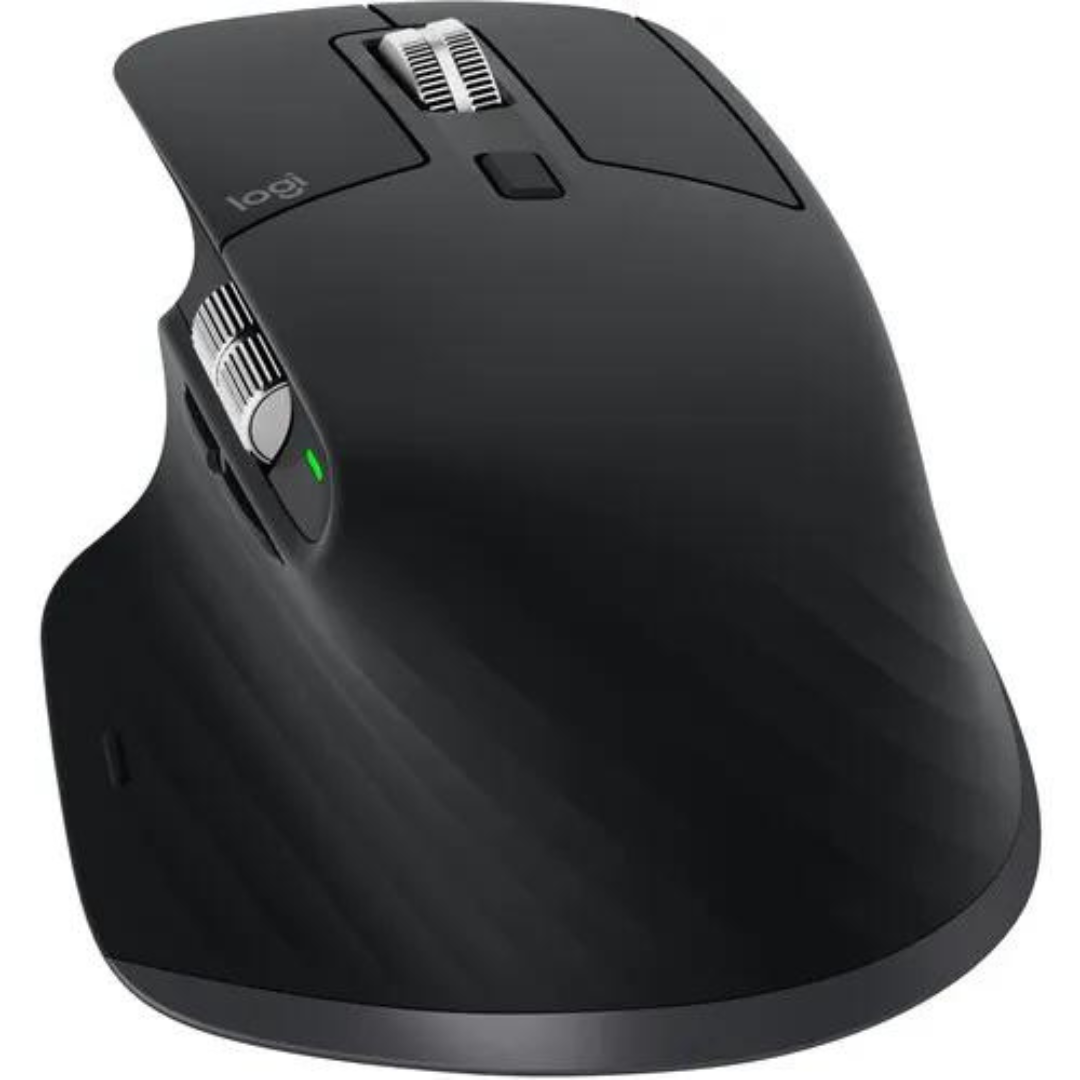
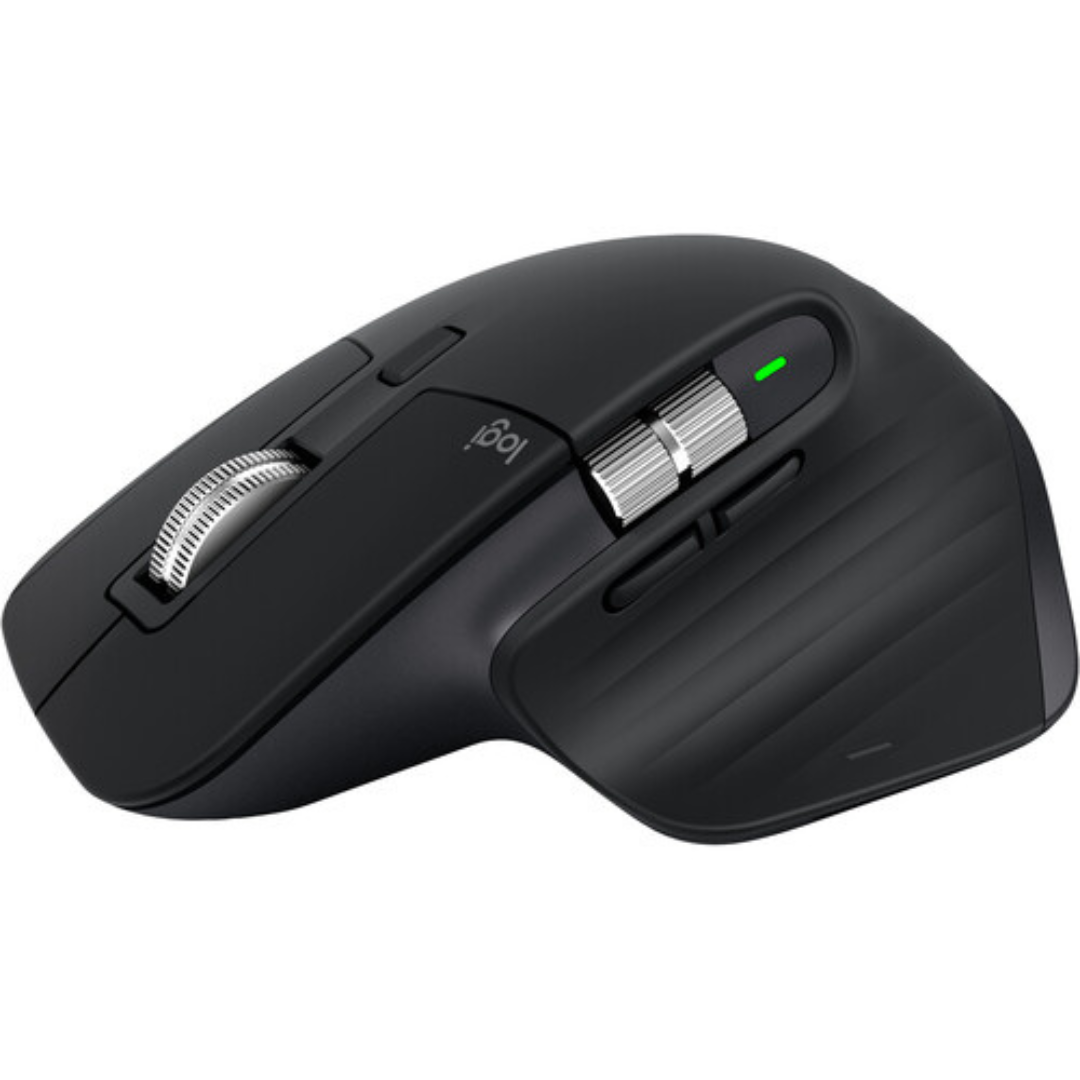
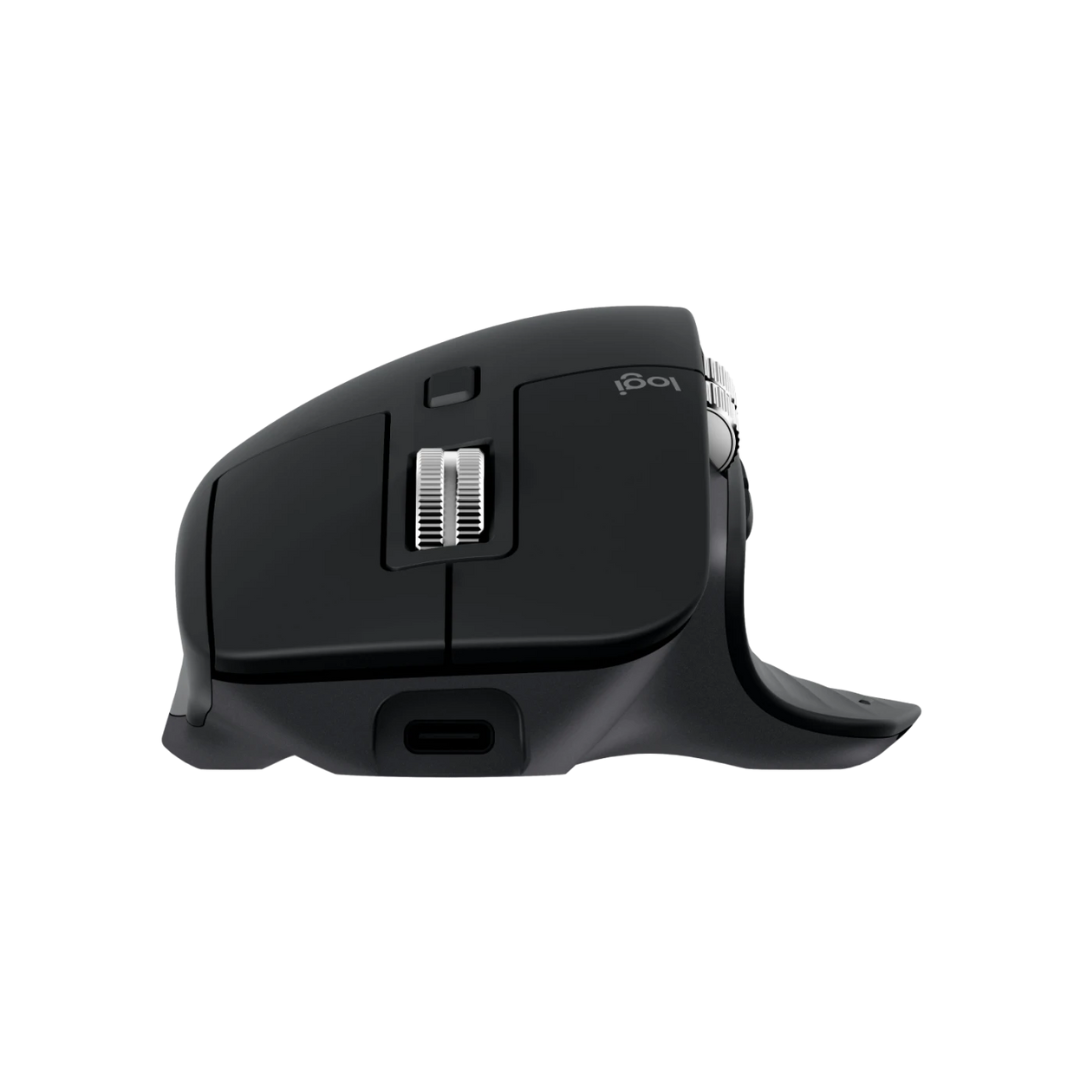

Logitech MX Master 3S Wireless Mouse | Ergonomic, 8K DPI, USB-C Charging | Kenya
KSh15,500
Key Features
- Product Type: Wireless Performance Mouse
- Model: MX Master 3S
- Sensor Technology: Darkfield high precision
- DPI Range: 200 – 8000 DPI (adjustable in 50 DPI steps)
- Buttons: 7 (Left/Right-click, Back/Forward, App-Switch, Wheel mode-shift, Middle click)
- Scroll Wheel: Smart-shift MagSpeed wheel
- Thumb Wheel: Yes
- Gesture Button: Yes
- Customization: Supported via Logi Options+ (Windows/macOS)
- Wireless Operating Distance: Up to 10 meters
Introduction
In the world of productivity tools, the right mouse can significantly enhance your workflow, especially for professionals and gamers alike. Enter the Logitech MX Master 3S Performance Mouse kenya, a premium performance mouse designed to meet the demands of modern users. With its ergonomic design, advanced tracking capabilities, and customizable features, this mouse stands out as a top choice for those seeking efficiency and comfort. In this guide, we will delve into everything you need to know about the Logitech MX Master 3S Performance Mouse kenya, including its features, benefits, and how to choose the right one for your needs.
This guide matters because investing in the right mouse can make a significant difference in your daily activities, whether you’re working from home, gaming, or handling complex design tasks. We’ll provide you with insights into the product’s specifications, various models, and how it compares to competitors in the Kenyan market. Let’s dive in!
What is Logitech MX Master 3S Performance Mouse?
The Logitech MX Master 3S Performance Mouse kenya is the latest iteration in Logitech’s popular MX Master series, known for its exceptional build quality and advanced features. This mouse is engineered for professionals who require precision and comfort during long hours of use. With a sleek design and a host of customizable buttons, the MX Master 3S is perfect for multitasking and enhancing productivity.
In the Kenyan market, where remote work and digital interactions are on the rise, the demand for high-quality peripherals has never been higher. The MX Master 3S is particularly appealing due to its ability to seamlessly switch between multiple devices, making it a versatile tool for anyone who juggles tasks across different platforms. With a price point of KSh 15,500, it positions itself as a premium option, but the investment is justified by its performance and durability.
Key Features and Benefits
Ergonomic Design
The Logitech MX Master 3S Performance Mouse kenya features a sculpted shape that fits comfortably in your hand, reducing strain during extended use. The thumb rest provides additional support, making it ideal for long hours of work or gaming. The design minimizes hand fatigue, which is crucial for users who spend the majority of their day in front of a computer. This ergonomic approach is not just about comfort; it also enhances your overall productivity by allowing you to focus on tasks without the distraction of discomfort.
Advanced Tracking Technology
Equipped with a Darkfield sensor, the MX Master 3S can track on virtually any surface, including glass. This means you can use it effectively in various environments, whether at home, in the office, or even on a glass table. The advanced sensor technology ensures precise cursor control, which is essential for tasks that require accuracy, such as graphic design or detailed data analysis. This feature sets the MX Master 3S apart from many other mice that struggle on reflective surfaces.
Customizable Buttons
With multiple programmable buttons, you can tailor the mouse to suit your specific needs. This feature allows for quick access to frequently used functions, enhancing your workflow efficiency. For example, you could assign shortcuts for copy, paste, or even specific application commands, drastically reducing the time spent on repetitive tasks. The Logitech Options software makes customization intuitive, allowing you to set up your mouse according to your workflow seamlessly.
Multi-Device Connectivity
The ability to connect to up to three devices simultaneously is a game-changer. You can easily switch between your laptop, tablet, and desktop with a simple button press, making it perfect for multitaskers. This feature is particularly beneficial for professionals who need to manage multiple screens or devices throughout their workday. Imagine working on a document on your laptop, and with a quick press, you’re controlling your tablet to check emails or messages without the hassle of reconnecting each time.
Long Battery Life
The MX Master 3S boasts an impressive battery life of up to 70 days on a full charge. This means less time worrying about recharging and more time being productive. Additionally, a quick charge feature provides three hours of use from just a one-minute charge. This is particularly advantageous for users who are always on the go and may not have time to recharge their devices frequently. The battery life is a key selling point, especially in a market like Kenya, where power stability can sometimes be an issue.
Logitech Flow
This unique feature allows you to control multiple computers seamlessly. You can drag and drop files between devices, making it an excellent choice for professionals who work across different systems. Logitech Flow is particularly useful in collaborative environments where sharing information quickly is essential. This feature enhances productivity by allowing you to operate multiple systems as if they were one, eliminating the need for cumbersome file transfer methods.
High Precision Scroll Wheel
The electromagnetic scrolling feature allows for smooth scrolling through long documents or web pages. You can switch between hyper-fast scrolling and precise click-to-click scrolling, giving you control over your navigation experience. This is particularly useful for professionals who deal with extensive documents or need to navigate through large datasets. The scroll wheel’s versatility means you can choose the best scrolling method depending on the task at hand, whether it’s a quick scroll through a webpage or detailed navigation through a spreadsheet.
Models and Variants
The Logitech MX Master 3S Performance Mouse kenya comes in several variants, catering to different user preferences. While the core features remain consistent, here are some notable models:
- Logitech MX Master 3S for Mac: Tailored specifically for Mac users, this model features optimized software for macOS and a sleek design that complements Apple products. It is designed to work seamlessly with Mac applications, ensuring a smooth user experience.
- Logitech MX Anywhere 3: A more compact version, ideal for users on the go. It retains many features of the MX Master series but in a smaller form factor, making it perfect for travel. This model is particularly popular among professionals who frequently work outside of their primary office.
- Logitech MX Vertical: This ergonomic mouse is designed to reduce wrist strain, perfect for users who prioritize comfort and health. The vertical design encourages a more natural hand position, which can be beneficial for those who experience discomfort with traditional mice.
Each model has its unique selling points, making it essential to consider your specific needs when making a choice. For instance, if you primarily use Mac devices, the MX Master 3S for Mac is the ideal choice, while frequent travelers may prefer the MX Anywhere 3 for its portability.
How to Choose the Right One
When selecting the Logitech MX Master 3S Performance Mouse kenya, there are several factors to consider to ensure you make the right choice:
Usage Scenario
Identify how you will primarily use the mouse. If you are a graphic designer, the precision tracking and customizable buttons will be beneficial. For general office work, the ergonomic design and multi-device functionality will enhance your productivity. Understanding your specific use case will help you maximize the benefits of the MX Master 3S.
Comfort and Ergonomics
Consider the shape and size of the mouse. The MX Master 3S is designed for comfort, but if you have smaller hands or prefer a different grip style, exploring other models might be beneficial. The comfort level of a mouse can significantly impact your overall productivity, especially during long working hours.
Device Compatibility
Make sure the mouse is compatible with your devices. The MX Master 3S works well with Windows and macOS, but if you use Linux or other operating systems, check for compatibility. Ensuring compatibility will save you from potential issues during setup and usage.
Budget
At KSh 15,500, the MX Master 3S is a premium investment. Assess your budget and determine if the features justify the price for your specific needs. If you are looking for a more budget-friendly option, consider the MX Anywhere series. Evaluating your budget against the features offered will help you make an informed decision.
Battery Life
If you are frequently on the move or dislike charging your devices often, the long battery life of the MX Master 3S is a significant advantage. However, if you don’t mind frequent charging, other models might suffice. Understanding your charging habits can guide you in choosing the right model.
Personal Preferences
Lastly, personal preference plays a crucial role. If you prefer a specific color or design, make sure to choose a model that resonates with your style. The aesthetic appeal of a mouse can enhance your workspace and make your daily tasks more enjoyable.
Pros and Cons
Pros
- Exceptional Ergonomics: The design minimizes hand fatigue, making it suitable for long hours of use.
- Versatile Connectivity: Supports multiple devices, allowing for seamless transitions between your laptop and desktop.
- Customizable Features: Programmable buttons can significantly enhance productivity tailored to your workflow.
- High Precision Tracking: Works on a variety of surfaces, making it adaptable to different environments.
- Long Battery Life: Up to 70 days on a single charge, which is ideal for busy professionals.
Cons
- Premium Price Point: At KSh 15,500, it may be considered expensive for casual users.
- Learning Curve: The multitude of features may take time to master for new users.
- Size: The larger design may not be suitable for users with smaller hands or those who prefer a compact mouse.
vs Top Competitors
When considering the Logitech MX Master 3S Performance Mouse kenya, it’s essential to compare it with its top competitors to understand its standing in the market:
1. Razer Basilisk V3
The Razer Basilisk V3 is a gaming mouse known for its customizable features and high DPI settings. While it excels in gaming performance, it lacks the ergonomic design and multi-device connectivity that the MX Master 3S offers. The Basilisk V3 is priced similarly, but it may not cater to professionals seeking a versatile office mouse. This makes the MX Master 3S a better choice for those who prioritize comfort and productivity in a work environment.
2. Microsoft Surface Precision Mouse
This mouse is another strong competitor, particularly for Windows users. It offers customizable buttons and multi-device support. However, its ergonomic design is not as refined as the MX Master 3S, and it may not perform as well on varied surfaces. Users who need a mouse for diverse environments might find the MX Master 3S to be a more reliable choice.
3. Apple Magic Mouse 2
The Apple Magic Mouse 2 is sleek and integrates seamlessly with Apple devices. However, it lacks the ergonomic design and customizable features of the MX Master 3S, making it less suitable for prolonged use. The Magic Mouse is better suited for casual users, while the MX Master 3S is designed for those who require more functionality.
Overall, while there are several competitors, the Logitech MX Master 3S Performance Mouse kenya stands out for its balance of comfort, functionality, and versatility, making it an excellent choice for a wide range of users. Its unique features cater to both professionals and gamers, ensuring it meets various needs effectively.
Tips for Maximum Value
To get the most out of your Logitech MX Master 3S Performance Mouse kenya, consider these tips:
- Customize Your Settings: Take advantage of the Logitech Options software to customize button functions and scrolling preferences based on your workflow. This can significantly enhance your productivity by allowing you to tailor the mouse to your specific tasks.
- Regularly Update Firmware: Keeping your mouse firmware up to date ensures you have the latest features and performance enhancements. Regular updates can also fix bugs that may affect functionality.
- Use on Various Surfaces: Experiment with the mouse on different surfaces to find what works best for you, especially if you often switch work environments. The Darkfield sensor is designed to perform well on various surfaces, but personal preferences may vary.
- Utilize Logitech Flow: If you have multiple computers, using Logitech Flow can significantly enhance your productivity by allowing you to control them seamlessly. This feature is particularly useful for multitasking across devices.
- Maintain Your Mouse: Regularly clean your mouse to ensure optimal performance, especially the sensor and scroll wheel. Dust and debris can hinder responsiveness and accuracy.
Frequently Asked Questions
1. Is the Logitech MX Master 3S Performance Mouse worth the price?
Yes, the Logitech MX Master 3S Performance Mouse kenya is worth the investment for professionals and gamers who value comfort, precision, and advanced features. Its ergonomic design and multi-device capabilities justify the price for those who spend long hours using a mouse.
2. Can I use the MX Master 3S with my gaming setup?
Absolutely! While it’s primarily designed for productivity, the MX Master 3S offers high precision tracking and customizable buttons, making it suitable for gaming as well. Its versatility allows it to perform well in both professional and gaming environments.
3. How does the battery life compare to other mice?
The MX Master 3S boasts a battery life of up to 70 days, which is significantly longer than many other mice on the market, making it a great choice for users who prefer not to charge frequently. This feature is particularly beneficial for those who travel or work in different locations.
4. Does it work with both Windows and Mac?
Yes, the Logitech MX Master 3S Performance Mouse kenya is compatible with both Windows and macOS, and it even has a variant specifically designed for Mac users. This cross-compatibility ensures that a wide range of users can benefit from its features.
5. Can I customize the buttons on the MX Master 3S?
Yes, you can customize the buttons using the Logitech Options software, allowing you to set specific functions or shortcuts that enhance your productivity. This customization can help streamline your workflow and make repetitive tasks easier.
6. What is Logitech Flow?
Logitech Flow is a feature that allows you to control multiple computers with one mouse. You can move your cursor between screens and even drag and drop files between devices, making it a powerful tool for multitasking. This feature is especially useful for professionals who work with multiple devices regularly.
7. What is the warranty period for the MX Master 3S?
The Logitech MX Master 3S Performance Mouse kenya typically comes with a two-year limited hardware warranty, providing peace of mind with your purchase. This warranty reflects Logitech’s commitment to quality and customer satisfaction.
8. How can I troubleshoot common issues with the MX Master 3S?
If you encounter issues with your MX Master 3S, consider the following troubleshooting tips:
- Connection Problems: Ensure that the mouse is charged and that the USB receiver is securely connected to your device. If using Bluetooth, check that Bluetooth is enabled on your device.
- Unresponsive Buttons: Make sure that the mouse is clean, as dirt or debris can hinder button functionality. If the issue persists, try resetting the mouse by turning it off and on again.
- Scrolling Issues: If scrolling is not functioning correctly, check the Logitech Options software settings to ensure that scrolling preferences are set correctly.
- Battery Not Charging: If the battery does not seem to charge, try using a different USB cable or port. If the issue persists, contact Logitech support for assistance.
Final Verdict
In conclusion, the Logitech MX Master 3S Performance Mouse kenya is a top-tier choice for anyone looking to enhance their productivity and comfort while using a mouse. Its ergonomic design, advanced features, and multi-device connectivity make it a standout product in the Kenyan market. While it comes at a premium price of KSh 15,500, the benefits it offers in terms of efficiency and performance make it a wise investment for professionals and gamers alike.
If you’re ready to elevate your computing experience, consider purchasing the Logitech MX Master 3S Performance Mouse kenya today. Embrace the comfort and efficiency that this premium mouse has to offer and transform the way you work and play!
Alternative Products
- Logitech M196 Wireless White Mouse | Compact, Plug & Play | Kenya - KSh3,000
- Logitech MX Anywhere 3S Wireless Mouse | 8K DPI, MagSpeed Scroll, Compact | Kenya - KSh13,500
- Logitech G102 Gaming Mouse | 4000 DPI, 8 Programmable Buttons | Kenya - KSh5,500
- Logitech M190 Wireless Mouse | 1000 DPI, Precision Scroll Wheel | Kenya - KSh2,500
- Logitech M170 Wireless Mouse | Plug-and-Play, 12-Month Battery | Kenya - KSh2,000
Related products
Reviews
There are no reviews yet.