

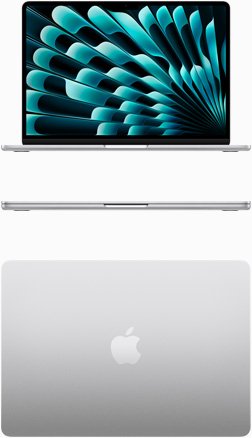
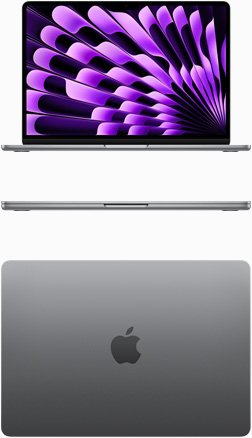
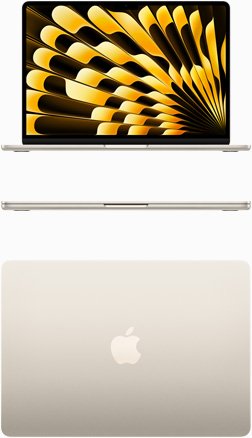
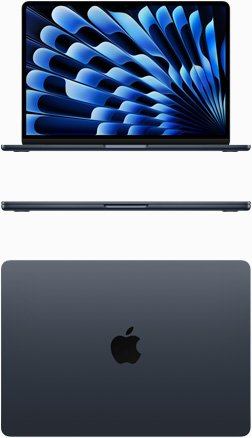
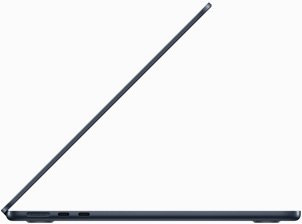

MacBook Air M4 15.3inch |16GB 256GB | High Performance | Nairobi Pickup | 1 Year Apple Warranty | For Office Work in Kenya
Price range: KSh155,000 through KSh205,000
Key Features
- Processor: Apple M4 chip
- Memory: 16/24GB unified memory
- Storage: 256/512GB SSD
- Display: 13.6-inch Liquid Retina display (2560 x 1664 resolution)
- Graphics: Integrated 10-core GPU
- Operating System: macOS Sequoia 15.4
- Weight: Approximately 1.24 kg
Buying Guide: What to Consider When Purchasing the MacBook Air M4 15.3inch
When investing in a device like the MacBook Air M4 15.3inch, it’s crucial to consider several factors to ensure it meets your needs. Below are key buying criteria to keep in mind:
1. Performance Needs
Evaluate what you will primarily use the MacBook Air M4 for. If you are a student who needs it for note-taking, research, and occasional multimedia work, the base model with 256GB storage and 16GB RAM will suffice. However, if you are a professional in graphic design, video editing, or software development, consider opting for the higher storage option to accommodate large files and applications. The M4 chip provides exceptional performance, enabling users to run demanding applications smoothly, making it suitable for both casual and professional usage.
2. Portability
With its lightweight design, the MacBook Air M4 is perfect for users on the go. Weighing just around 1.29 kg, it is easy to carry around, whether you are commuting to work, traveling, or moving between classes. If you frequently travel or commute, the slim profile and long battery life (up to 18 hours) make it an excellent companion. Evaluate how often you will need to carry your laptop and how important battery life is for your usage patterns. The ability to work throughout the day without needing to recharge is a significant advantage for busy professionals and students alike.
3. Display Quality
The 15.3-inch Liquid Retina display is one of the highlights of the MacBook Air M4. With a resolution of 2880 x 1864 pixels, it delivers stunning visuals that are perfect for photo editing, video watching, and gaming. If you work with visual media or enjoy watching movies, the vibrant colors and clarity will enhance your experience significantly. The display also supports True Tone technology, which adjusts the white balance according to the surrounding light, providing a more natural viewing experience. Ensure that the display quality meets your expectations, especially if you are used to higher-resolution screens.
4. Connectivity Options
Modern connectivity is essential for seamless integration with other devices. The MacBook Air M4 includes Thunderbolt 4 ports, which are versatile for connecting to monitors, external drives, and other peripherals. This means you can easily connect multiple 4K displays or transfer data at lightning speeds. If you rely on multiple devices for your work, consider how the MacBook Air M4’s ports align with your setup. Additionally, it supports Wi-Fi 6, ensuring faster internet speeds and more reliable connections, which is crucial for remote work and online learning environments.
5. Budget Considerations
At KSh 155,000, the MacBook Air M4 is a significant investment. Compare it with other laptops in the same price range to see if it offers the best value for your needs. Look into financing options or promotions that might be available in Kenya to make the purchase more manageable. Consider the long-term benefits of investing in a MacBook, such as its durability, resale value, and the robust ecosystem of applications available on macOS. Additionally, factor in the support and warranty provided by Apple, which can add value to your purchase.
Competitor Analysis: How the MacBook Air M4 Stacks Up
Understanding how the MacBook Air M4 compares to its competitors is crucial for making an informed decision. Below are some notable alternatives in the Kenyan market:
1. Dell XPS 13
The Dell XPS 13 is a strong contender with similar specifications, including a high-resolution display and powerful Intel processors. While it may offer a Windows experience, many users appreciate its build quality and performance. The XPS 13 is known for its InfinityEdge display, which maximizes screen real estate in a compact form factor. Pricing for the XPS 13 typically starts around KSh 130,000, making it a slightly more affordable option. However, its battery life and software ecosystem may not match that of the MacBook Air M4.
2. HP Spectre x360
The HP Spectre x360 is another premium laptop that offers a convertible design, allowing users to switch between laptop and tablet modes. It features an Intel Core i7 processor and a stunning 4K display, which can be advantageous for creative professionals. Prices for the Spectre x360 start at approximately KSh 150,000. While it offers versatility, some users may find the Windows operating system less intuitive compared to macOS, especially for those already embedded in the Apple ecosystem.
3. Lenovo Yoga 7i
The Lenovo Yoga 7i combines performance with versatility, offering a flexible design and solid performance for a range of tasks. It is often available at a lower price point, starting around KSh 120,000, making it a budget-friendly alternative for those who need a reliable laptop without breaking the bank. The Yoga 7i is known for its excellent keyboard and touchpad experience, but it may lack the same level of build quality and premium feel as the MacBook Air M4. Additionally, the software experience may differ significantly, which could impact user preference.
Buying Criteria: Detailed Analysis
When considering the MacBook Air M4, it’s not just about the specs; understanding your personal or professional needs is vital. Here are some additional factors to consider:
1. Storage Options
The MacBook Air M4 comes with various storage options, including 256GB, 512GB, and 1TB SSD. For users who primarily use cloud storage, the base model may be sufficient. However, if you deal with large files regularly, such as video projects or extensive databases, opting for a higher storage capacity is advisable. Keep in mind that the SSD in the MacBook Air M4 is exceptionally fast, which contributes to the overall performance of the device.
2. RAM Considerations
While 16GB of RAM is generally sufficient for most users, those who engage in heavy multitasking or run memory-intensive applications may want to consider upgrading to 32GB, if available. This can significantly enhance the device’s performance, especially when using applications like Adobe Creative Suite or running virtual machines.
3. Operating System
The MacBook Air M4 runs on macOS, which is known for its user-friendly interface and seamless integration with other Apple products. If you are already using an iPhone or iPad, the continuity features, such as Handoff and Universal Clipboard, can provide a more cohesive experience. However, if your work relies heavily on Windows-specific applications, you may need to consider compatibility or alternative solutions such as virtualization software.
4. Warranty and Support
Apple offers a standard one-year warranty for the MacBook Air M4, covering manufacturing defects and hardware issues. You can also purchase AppleCare+ for extended coverage, which adds two years of service and support. This is particularly beneficial for users who want peace of mind regarding repairs and assistance. In Kenya, Apple’s authorized service centers are limited, so consider the availability of support in your area.
Use Cases for the MacBook Air M4 in Kenya
The MacBook Air M4 is versatile enough to cater to a variety of use cases in the Kenyan market:
1. Academic Use
For students in universities and colleges, the MacBook Air M4 provides the necessary tools for research, project work, and online learning. The lightweight design allows for easy transport between classes, and the long battery life ensures that students can work throughout the day without needing to recharge. The device’s performance is well-suited for running applications like Microsoft Office, Google Workspace, and various online learning platforms.
2. Professional Work
Professionals in fields such as graphic design, programming, and business management will find the MacBook Air M4 to be an excellent asset. Its powerful performance capabilities allow for the use of demanding software applications, while the Retina display enhances the visual experience for design work. Additionally, the device’s robust build quality ensures it can withstand daily use in a professional environment.
3. Creative Projects
For creatives, the MacBook Air M4 is perfect for tasks such as video editing, photography, and music production. The powerful GPU and Neural Engine make rendering and processing tasks faster, allowing for a smoother workflow. Additionally, the high-quality camera is beneficial for video conferencing and content creation, which is increasingly important in remote work and digital communication.
4. Remote Work
With the rise of remote work, the MacBook Air M4 has become an ideal choice for professionals who work from home or need to attend virtual meetings. The device’s lightweight nature and long battery life allow users to work comfortably from various locations, whether it be a café, home office, or co-working space. Its compatibility with video conferencing tools like Zoom and Microsoft Teams ensures that you can stay connected with colleagues and clients.
5. Gaming and Entertainment
While the MacBook Air M4 is not primarily designed for gaming, it can handle casual gaming and less demanding titles. The vibrant Retina display enhances the gaming experience, and the device can run popular games available on macOS. Additionally, streaming services work seamlessly, allowing you to enjoy movies and series in high quality. However, for serious gaming, a dedicated gaming laptop would be more suitable.
Maintenance Tips for Your MacBook Air M4
To ensure your MacBook Air M4 remains in optimal condition, consider the following maintenance tips:
1. Regular Software Updates
Keep your macOS and applications updated to benefit from the latest features, security patches, and performance improvements. Regular updates can help prevent software-related issues and enhance the overall user experience. Enable automatic updates to ensure you don’t miss critical upgrades.
2. Physical Care
Invest in a protective case or sleeve to guard against scratches and damage. Clean the screen and keyboard regularly with appropriate cleaning solutions to maintain clarity and hygiene. Avoid eating or drinking near your laptop to prevent spills and crumbs from getting into the keyboard.
3. Battery Management
To prolong battery life, avoid letting your MacBook Air M4 completely drain frequently. Use the battery optimization settings available in macOS to manage power consumption effectively. Consider calibrating your battery periodically by fully charging it, then using it until it nearly drains before charging it again. This can help maintain battery health over time.
4. Storage Management
Regularly check your storage space and manage files effectively. Utilize cloud storage solutions like iCloud, Google Drive, or Dropbox to keep your local storage free of clutter. Deleting unnecessary files and applications can improve performance and free up space for important projects.
FAQs About the MacBook Air M4
1. Is the MacBook Air M4 suitable for gaming?
While the MacBook Air M4 is not primarily designed for gaming, its powerful GPU can handle casual gaming and less demanding titles. For serious gaming, consider a dedicated gaming laptop. However, the MacBook Air can run many popular games available on macOS, making it a viable option for casual gamers.
2. Can I upgrade the storage and RAM?
Unfortunately, the MacBook Air M4 comes with soldered RAM and storage, meaning they cannot be upgraded after purchase. It’s advisable to choose a configuration that meets your long-term needs. Consider your workflow and storage requirements when making your selection to avoid future limitations.
3. Does the MacBook Air M4 come with a warranty?
Yes, Apple offers a standard one-year warranty for the MacBook Air M4, covering manufacturing defects and hardware issues. You can also purchase AppleCare+ for extended coverage, providing additional peace of mind against accidental damage and extended support.
4. What accessories should I consider for the MacBook Air M4?
Consider investing in a protective case, external storage solutions, and a USB-C hub for additional connectivity options. A good pair of headphones or speakers can also enhance your audio experience. Additionally, a keyboard cover can help protect against dust and spills, while a screen protector can prevent scratches.
5. How does the MacBook Air M4 handle multitasking?
Thanks to the M4 chip and 16GB of RAM, the MacBook Air M4 handles multitasking exceptionally well. Users can run multiple applications simultaneously without noticeable slowdowns. This makes it suitable for professionals who need to switch between tasks quickly and efficiently.
6. What is the battery life like on the MacBook Air M4?
The MacBook Air M4 boasts impressive battery life, with up to 18 hours of usage on a single charge. This makes it ideal for users who need to work throughout the day without being tethered to a power outlet. Battery performance may vary based on usage patterns, so optimizing settings can help extend battery longevity.
Conclusion
The MacBook Air M4 15.3inch is a powerful and versatile laptop that caters to a wide range of users in Kenya. With its impressive performance, stunning display, and modern connectivity options, it stands out as a top choice for anyone in need of a reliable computing device. By considering your specific needs and evaluating the competition, you can make an informed decision that will serve you well for years to come. Whether for academic use, professional work, or creative projects, the MacBook Air M4 offers a compelling blend of performance and portability, making it a worthwhile investment for users across various sectors.
Alternative Products
- MacBook Air M4 13inch | 16GB 256GB | Brand New Kenya | Pay On Delivery | Warranty | Suitable for School and Office Work - KSh122,000
- MacBook Air M3 13” | New | 8/256GB | Pay on Delivery Nairobi | For Student/Office Work in Kenya - KSh129,000
- Apple MacBook Air M3 15 inch | 16GB RAM 256GB SSD | High Performance | Kenya Nairobi Pickup | Lipa Mdogo Mdogo - KSh135,000
- Apple MacBook Pro M4 Pro 14 inch | 24GB RAM 1TB SSD | For Creators | Buy in Kenya | Pay on Delivery | Nairobi CBD - KSh255,000
- Apple MacBook Pro 14 inch M3 Max | 36GB RAM 1TB SSD | Top Performance | Kenya Stock | Warranty | Fast Delivery - KSh385,000
| RAM / ROM |
16/256GB ,16/512GB ,24/512GB |
|---|
Related products
Apple iMac 24 inch M4 | 16GB RAM 256GB SSD | Complete Desktop Solution | Kenya
Price range: KSh190,000 through KSh288,000
Apple iMac M4 | 16GB RAM 256GB SSD | High-Performance Computing | Kenya
Price range: KSh88,000 through KSh148,000
Apple iPhone 15 128/256GB 5G – Brand New
Price range: KSh84,000 through KSh95,000
Apple MacBook Air M3 15 inch | 16GB RAM 256GB SSD | High Performance | Kenya Nairobi Pickup | Lipa Mdogo Mdogo
Price range: KSh135,000 through KSh189,000
iPhone X 64GB (EX-UK) | 90–95% Battery | Excellent Condition | 1 Yr Warranty | Cytech Digitals
Price range: KSh23,000 through KSh24,000
MacBook Air M4 13inch | 16GB 256GB | Brand New Kenya | Pay On Delivery | Warranty | Suitable for School and Office Work
Price range: KSh122,000 through KSh180,000